Whitelisting your personal blockchain address is a crucial step for StraitsX Personal users to ensure secure and seamless transfers of XSGD and XUSD. Thanks to the "Wallet Signing" feature, you can now verify your MetaMask wallet in seconds without needing to send test transactions.
Follow this simple guide to get your blockchain address whitelisted and ready for action.
Before You Start
- Ensure your StraitsX Personal Account is fully verified.
- The MetaMask extension installed on your desktop browser (Chrome, Brave, etc.) or the MetaMask app installed on your mobile device.
Step 1: Log in to your StraitsX dashboard. Once logged in, click on your name in the top right-hand corner and select "My Account" from the dropdown menu.
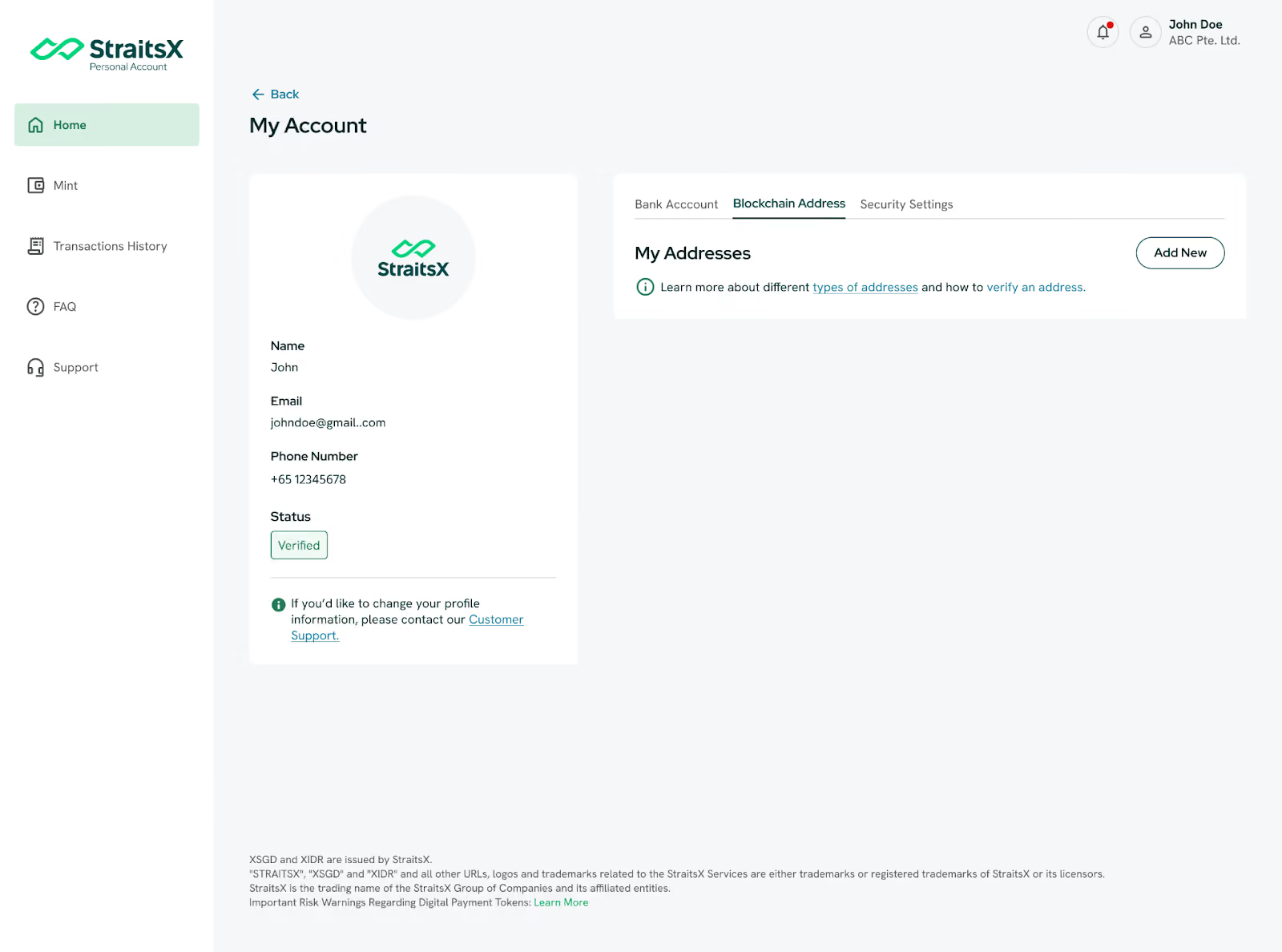
Step 2: In your account dashboard, look for the "Blockchain Addresses" tab. This is where you manage all your linked wallets. To start the whitelisting process, click the "Add New" button.
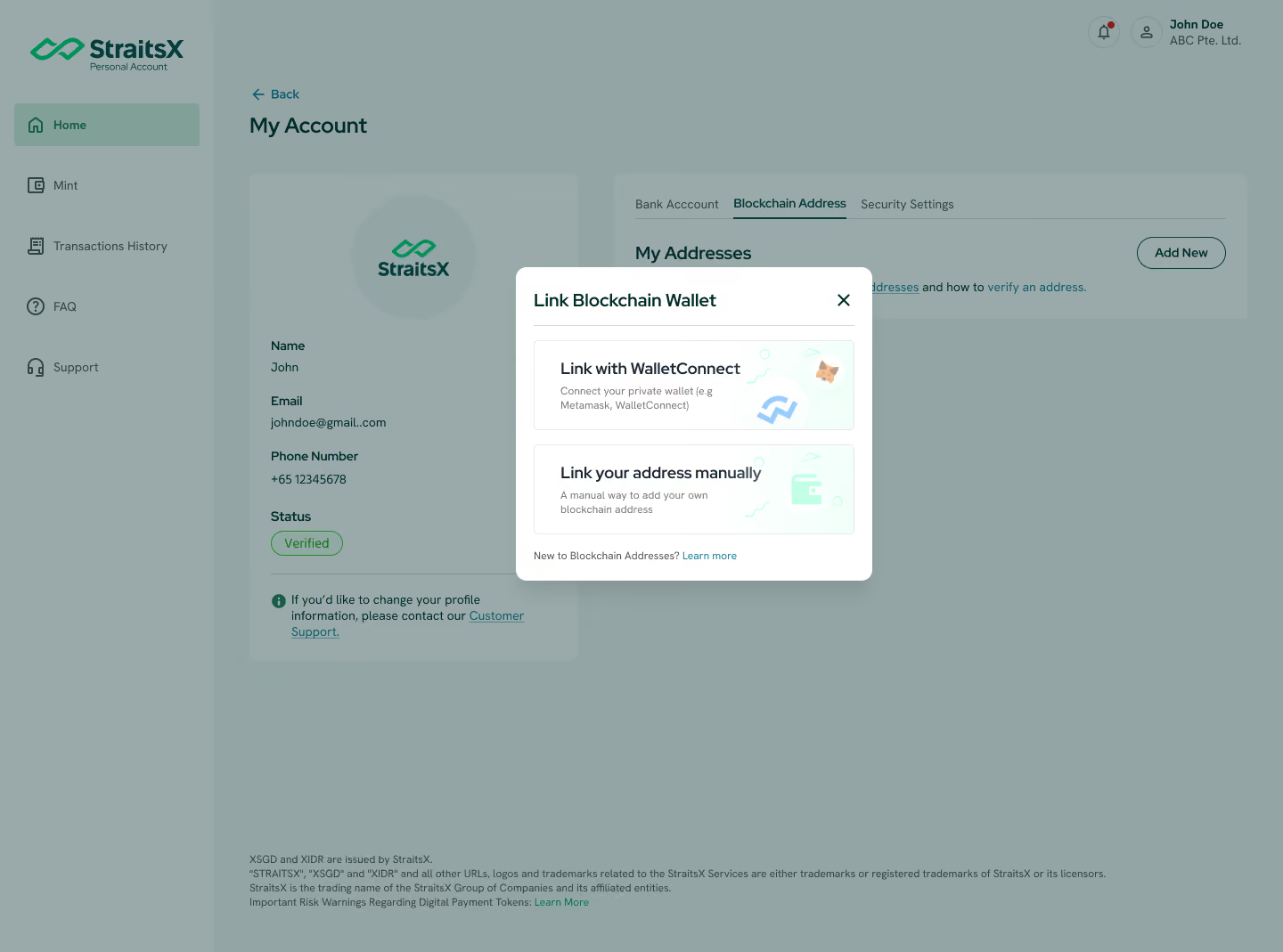
Step 3: A pop-up window will appear asking how you'd like to add your address. Select Link with WalletConnect.
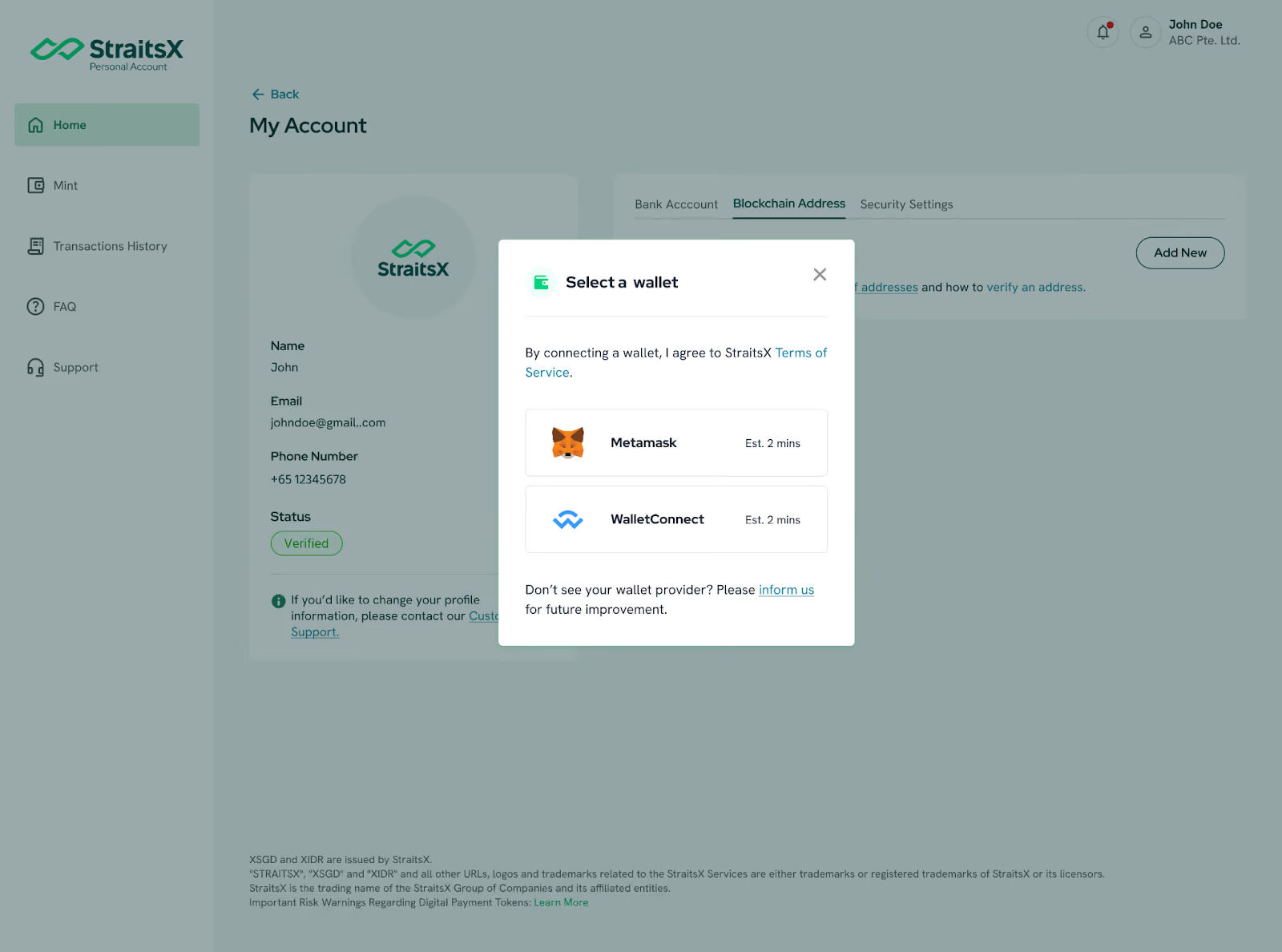
Step 4: Choose "MetaMask" from the list of supported providers. Once you select MetaMask, the platform will prompt you to verify ownership.
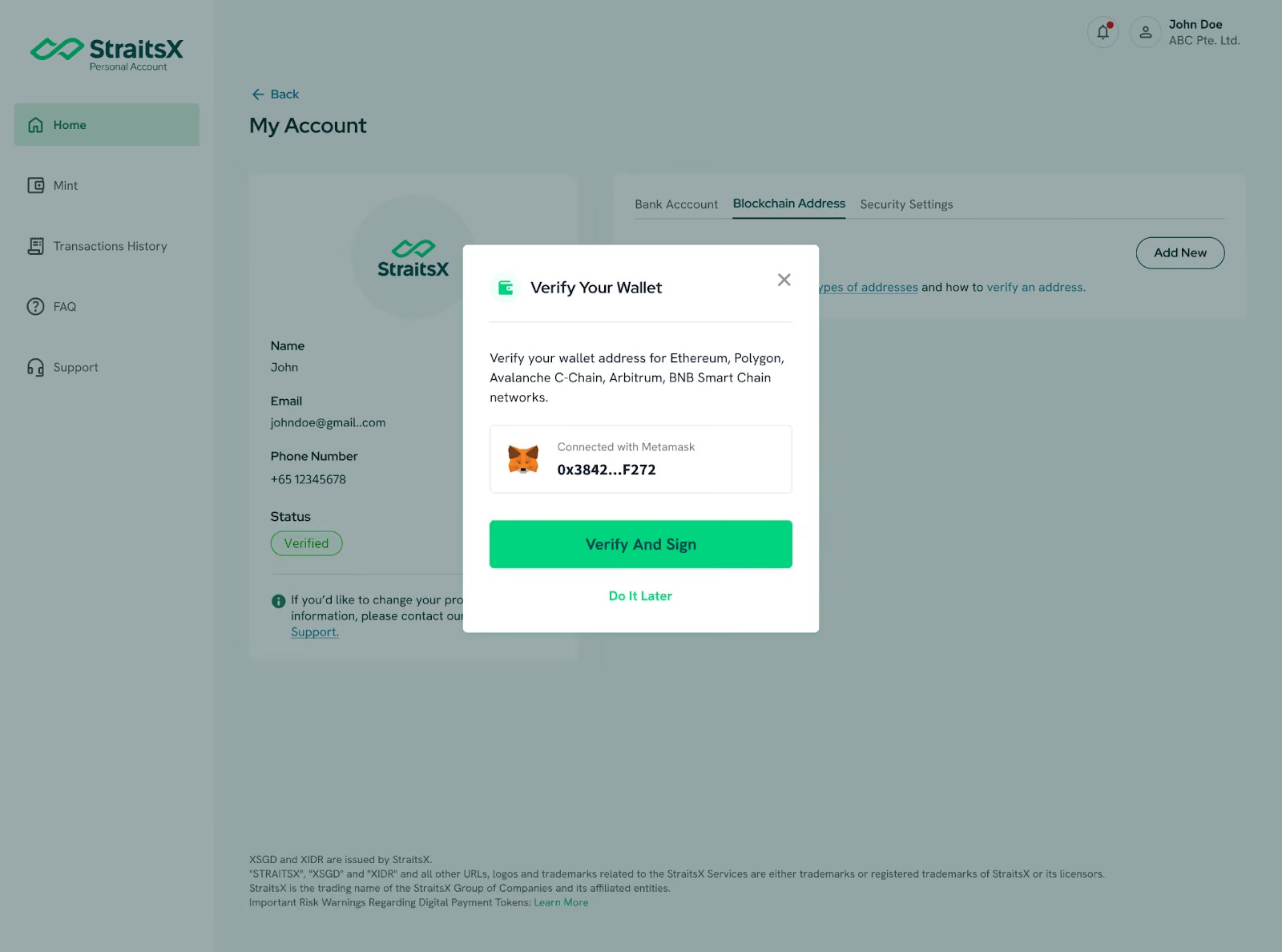
Step 5: Click on the "Verify and Sign" button.
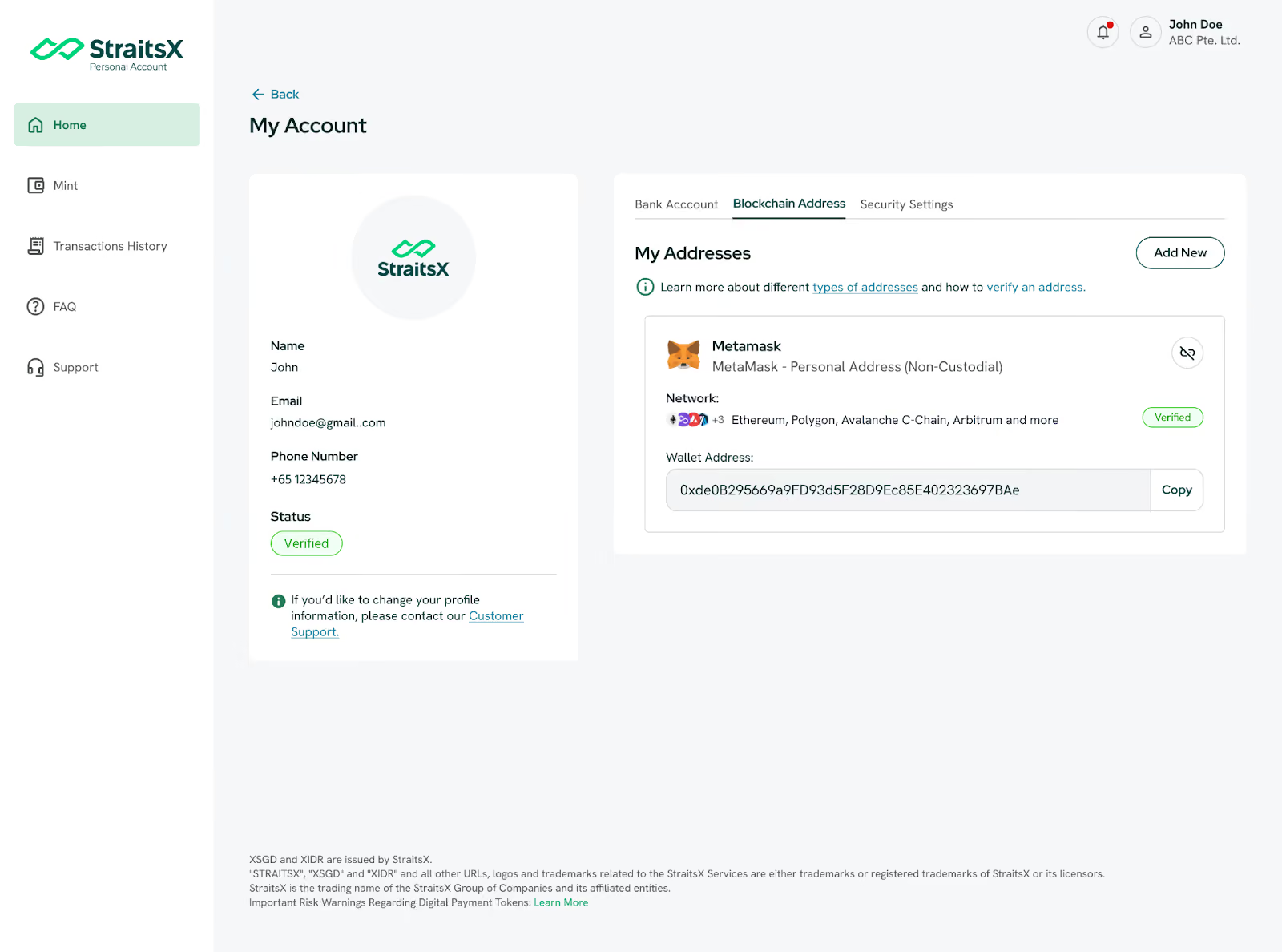
- Pro Tip: By signing this request, your wallet will be automatically whitelisted for multiple networks at once, including Ethereum, Polygon, Avalanche C-Chain, Arbitrum, and BNB Smart Chain.
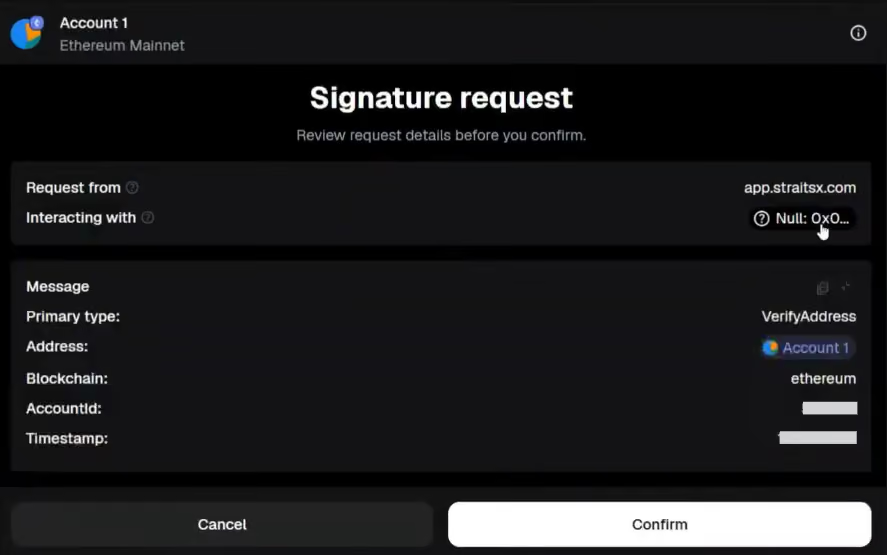
Step 6: Your MetaMask extension on your browser (or mobile app) will now pop up with a "Signature Request." This is a secure way to prove you own the wallet without sharing your private keys or paying gas fees.
Step 7: Review the message and click "Sign" or "Confirm."
Step 8: Once signed on your MetaMask extension, your verification request for your wallet will appear on your StraitsX dashboard.
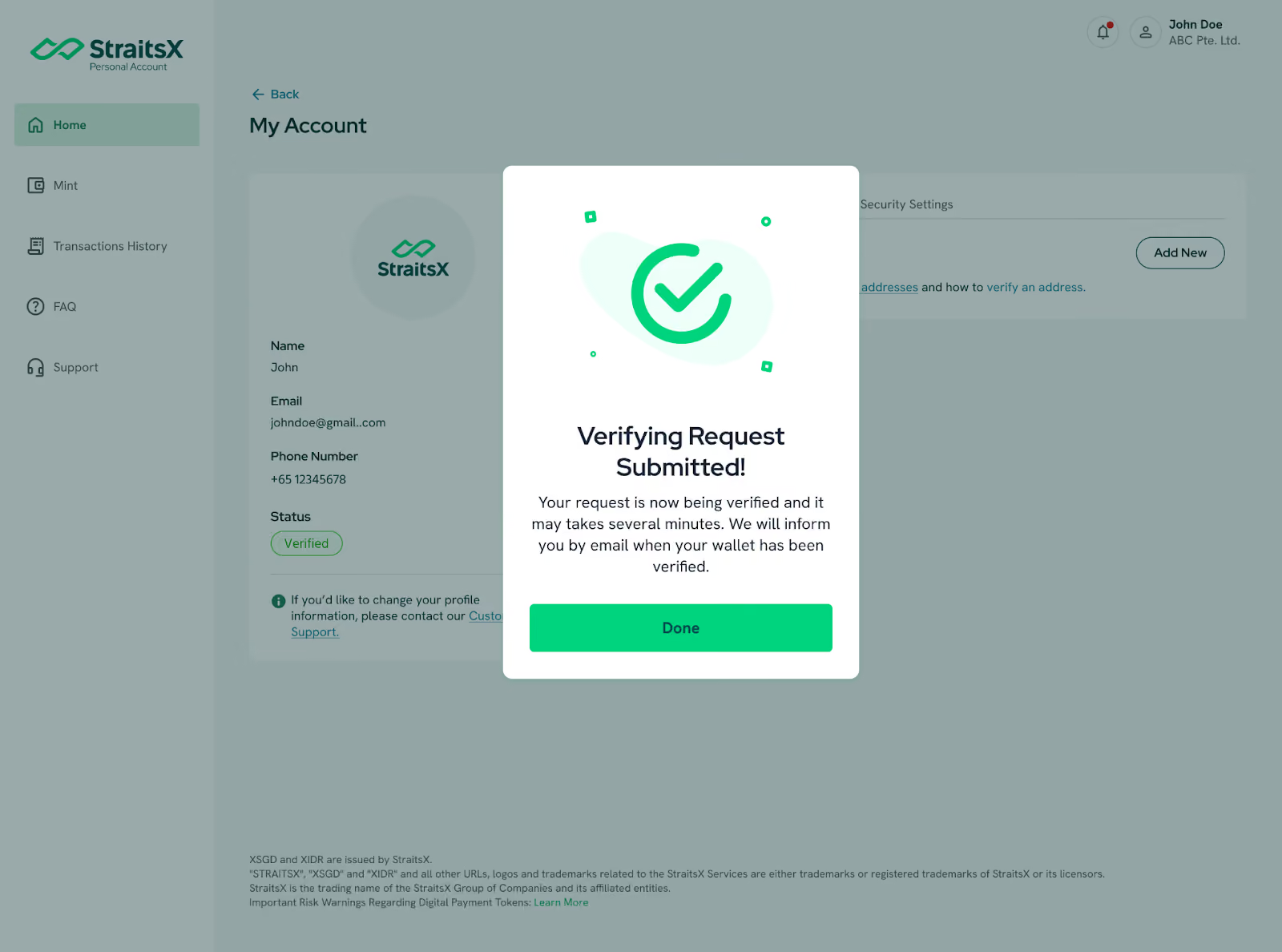
Step 9: Your MetaMask wallet address will now show up under your "Blockchain Addresses" list with a Verified status.
* Do note that verification of blockchain addresses with a Digital Asset Platform may take up to 1 business day.
Why Whitelist via MetaMask?
- Instant Verification: No need to wait for manual approvals or "Satoshi tests" (small deposit tests).
- Multi-Chain Ready: One signature whitelists your address across five major blockchain networks.
- The Best Part: This verification is completely gasless, meaning you don’t need to pay any network fees.
Ready to start? Log in to StraitsX and link your blockchain wallet today!
.avif)