.avif)
Want to lift your transfer limits and enjoy automatic credits for your XSGD and XUSD? Whitelisting your blockchain address is the way to go. If you prefer using mobile wallets, WalletConnect makes this process incredibly simple, with no manual test transactions required.
Follow this simple guide to get your blockchain address whitelisted and ready for action.
Before You Start
- Ensure your StraitsX Personal Account is fully verified.
- Have your preferred WalletConnect-compatible wallet (e.g., Trust Wallet, Rainbow, or MetaMask Mobile) installed on your desktop browser (Chrome, Brave, etc.) or app installed on your mobile device.
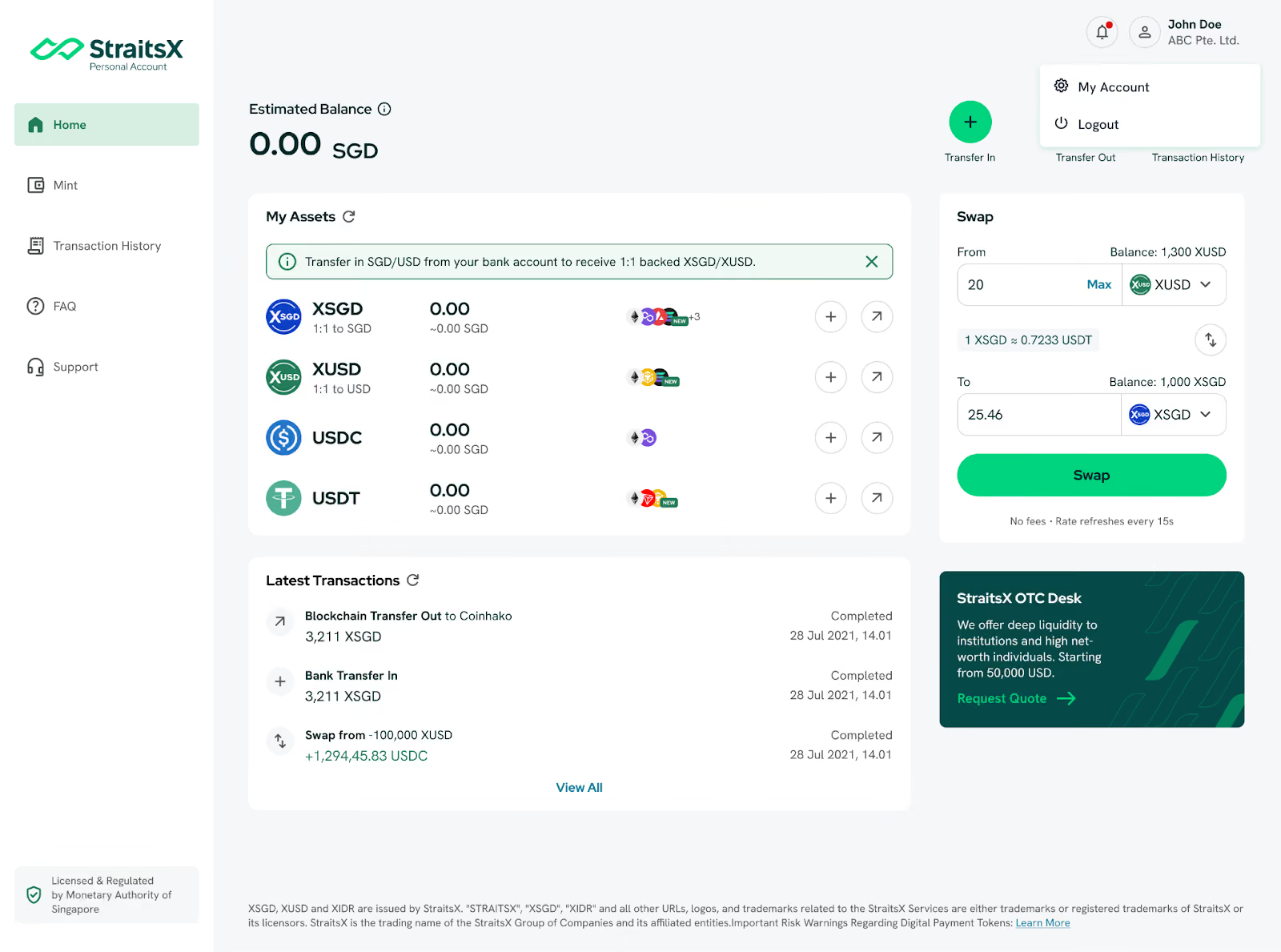
Step 1: Log in to your StraitsX dashboard. Once logged in, click on your name in the top right-hand corner and select "My Account" from the dropdown menu.
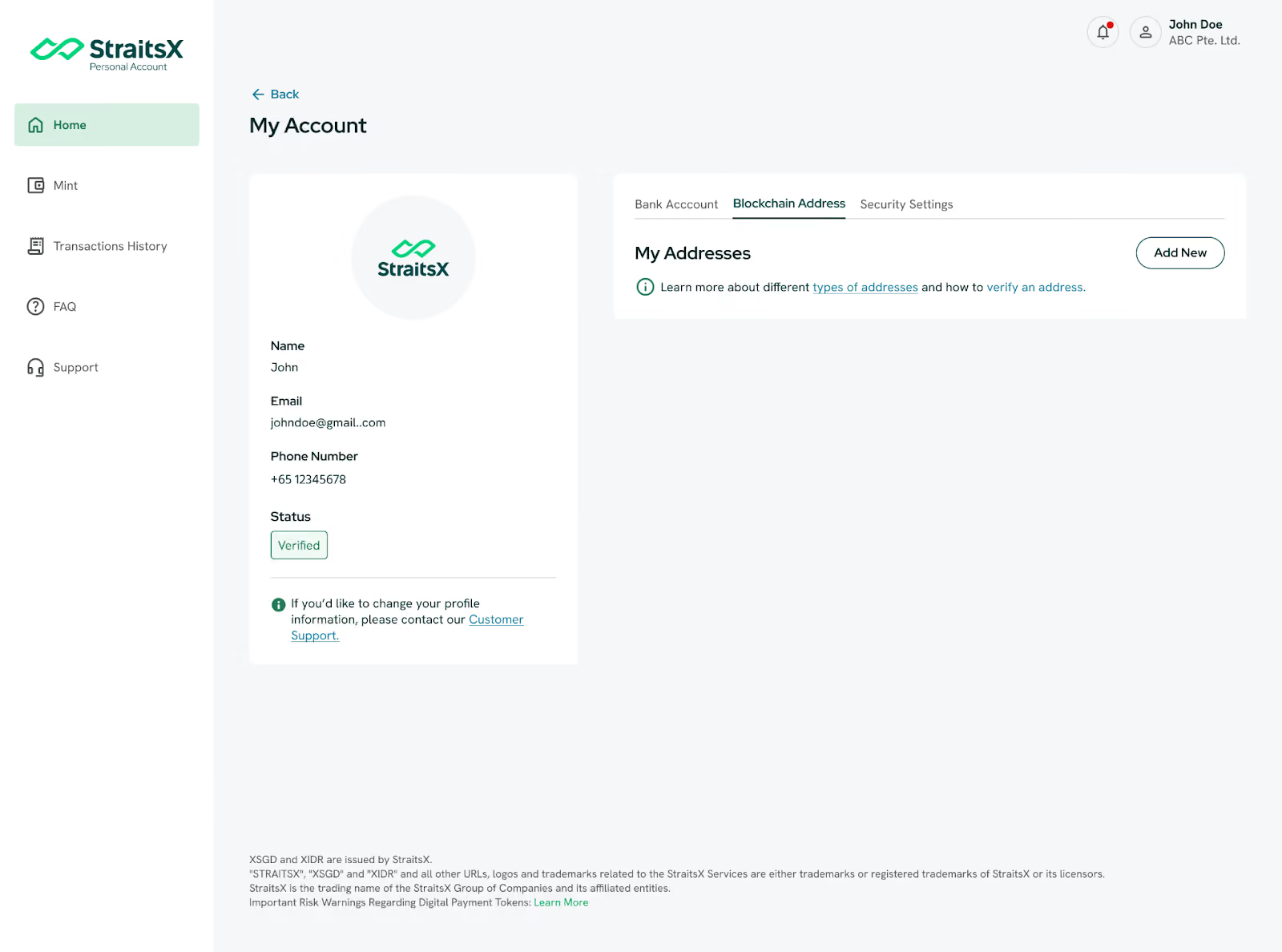
Step 2: In your account dashboard, look for the Blockchain Addresses tab. This is where you manage all your linked wallets. To start the whitelisting process, click the Add New button.
Step 3: A pop-up window will appear asking how you'd like to add your address, Select Link with WalletConnect.
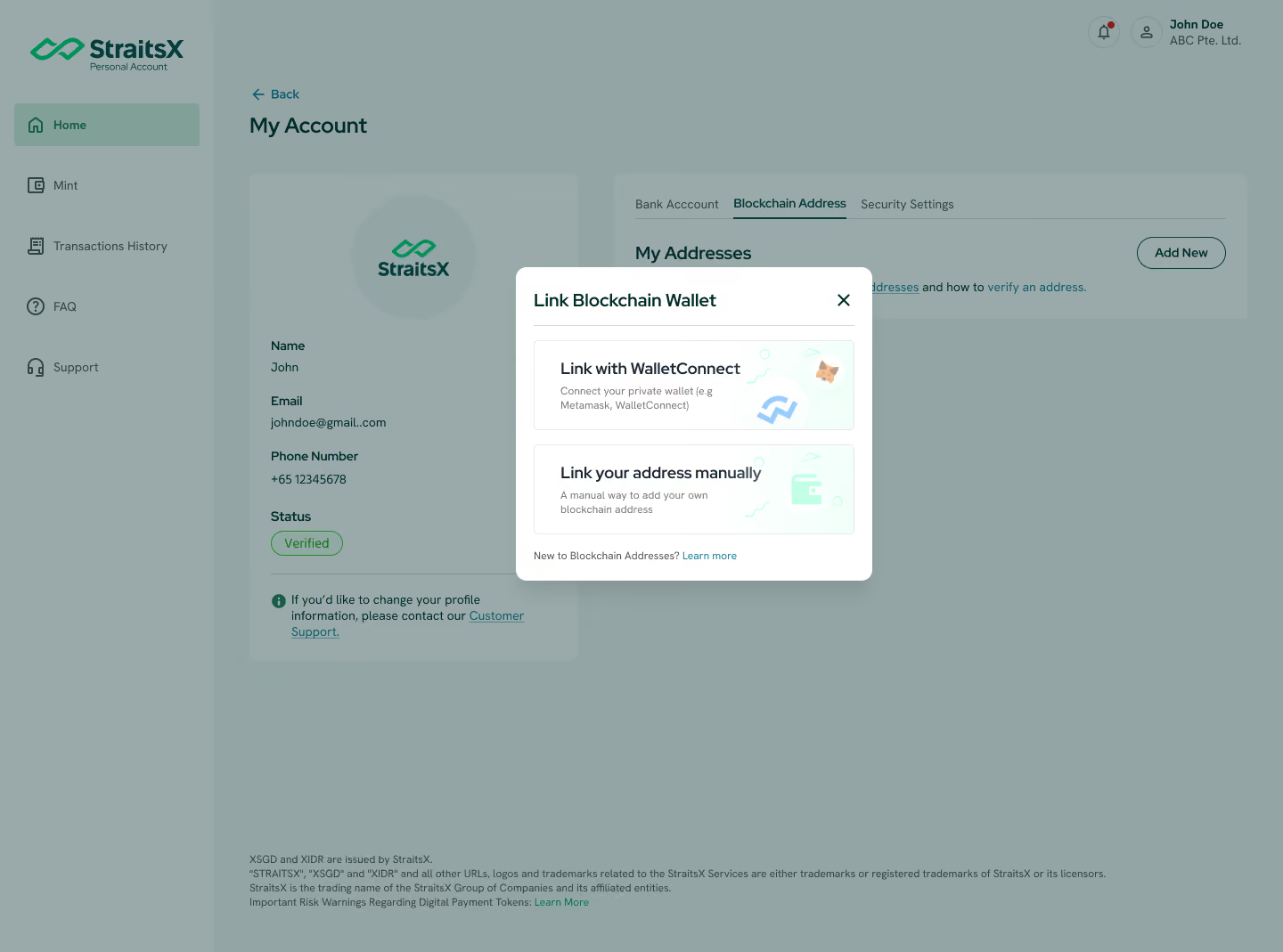
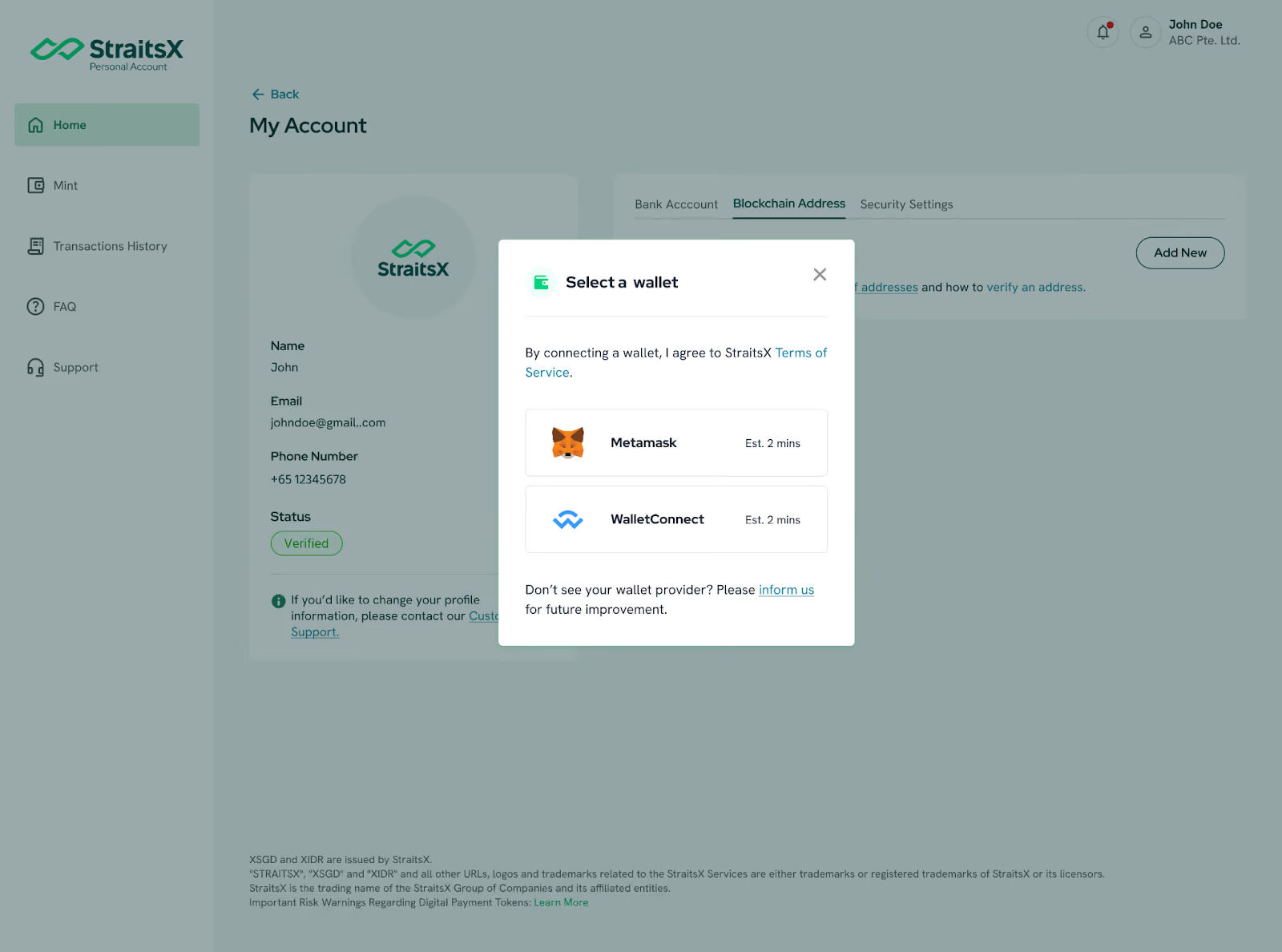
Step 4: Choose WalletConnect from the list of supported providers.
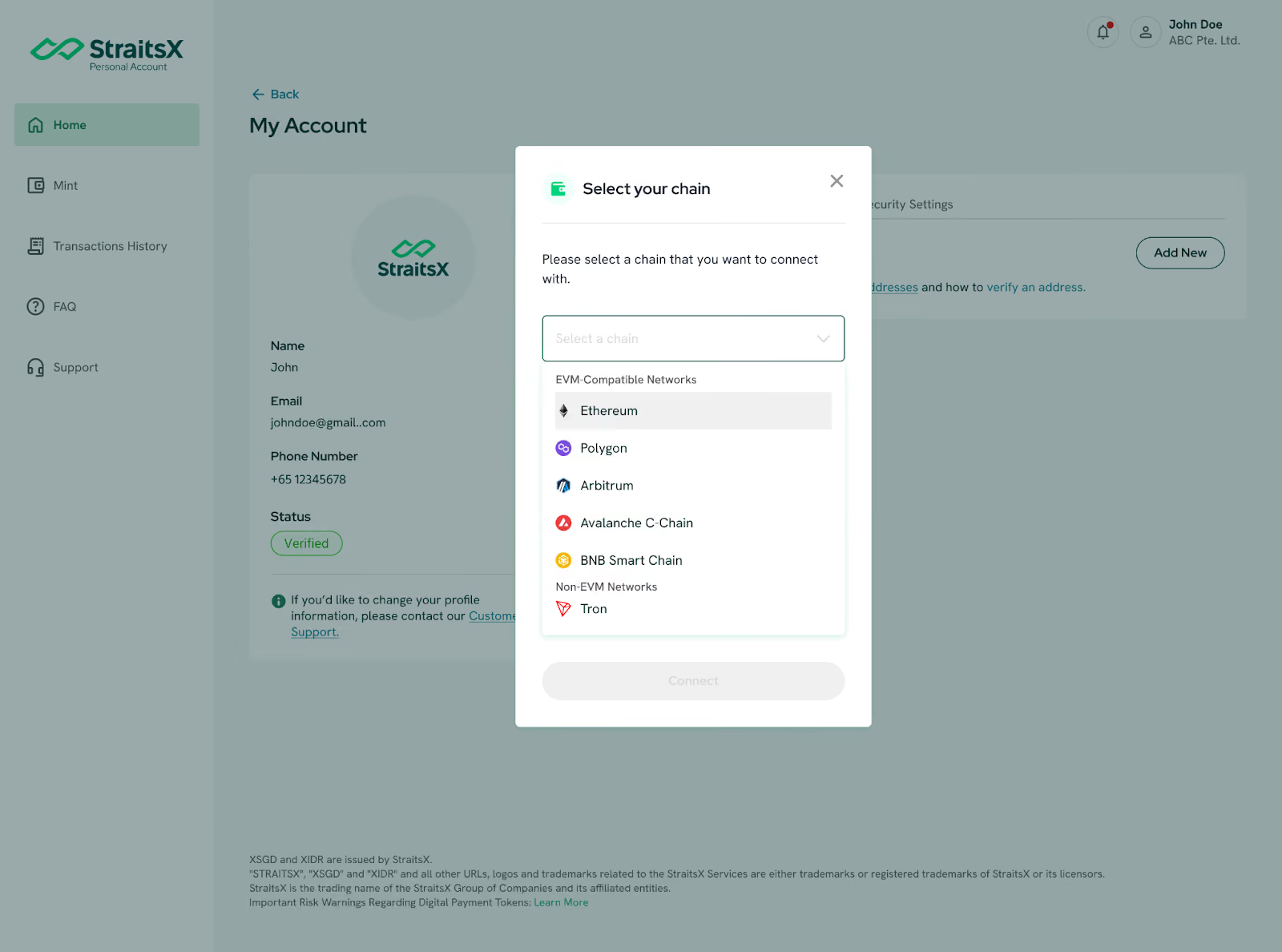
Step 5: Select a chain that you would like to connect to, choose between EVM-Compatible Networks like Ethereum, Polygon, Arbitrum, Avalanche C-Chain, BNB Smart Chain and Non-EVM Networks like Tron.
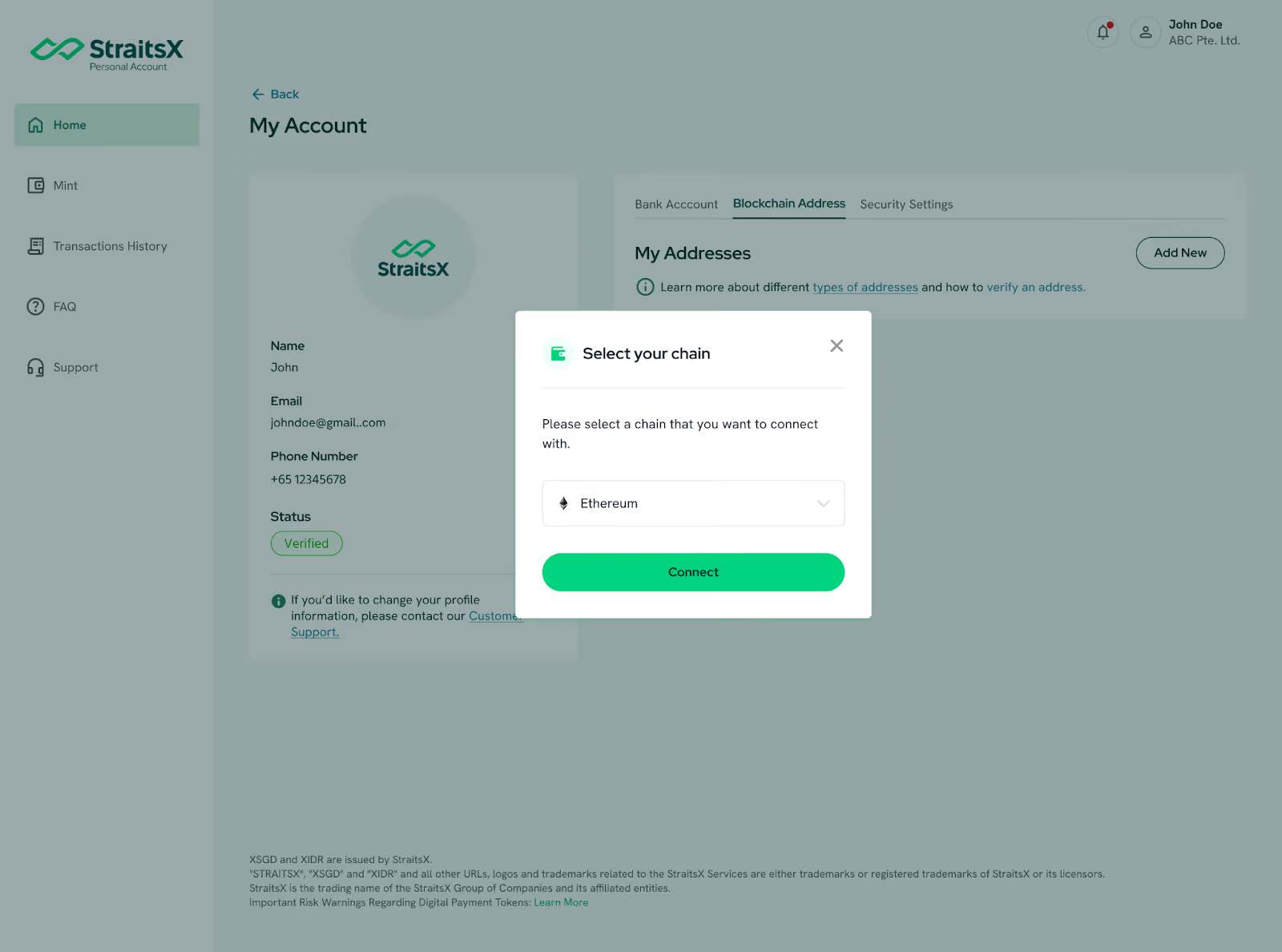
Step 6: Once you have selected your preferred network, click Connect.
Step 7: A WalletConnect pop-up will appear on your dashboard showing a unique QR code.
- Open your crypto wallet app on your mobile device or duplicate the QR code to your Wallet extension.
- Look for the QR Scanner icon (usually in the top corner) or find WalletConnect in your wallet's settings.
- Scan the QR code displayed on your desktop browser.
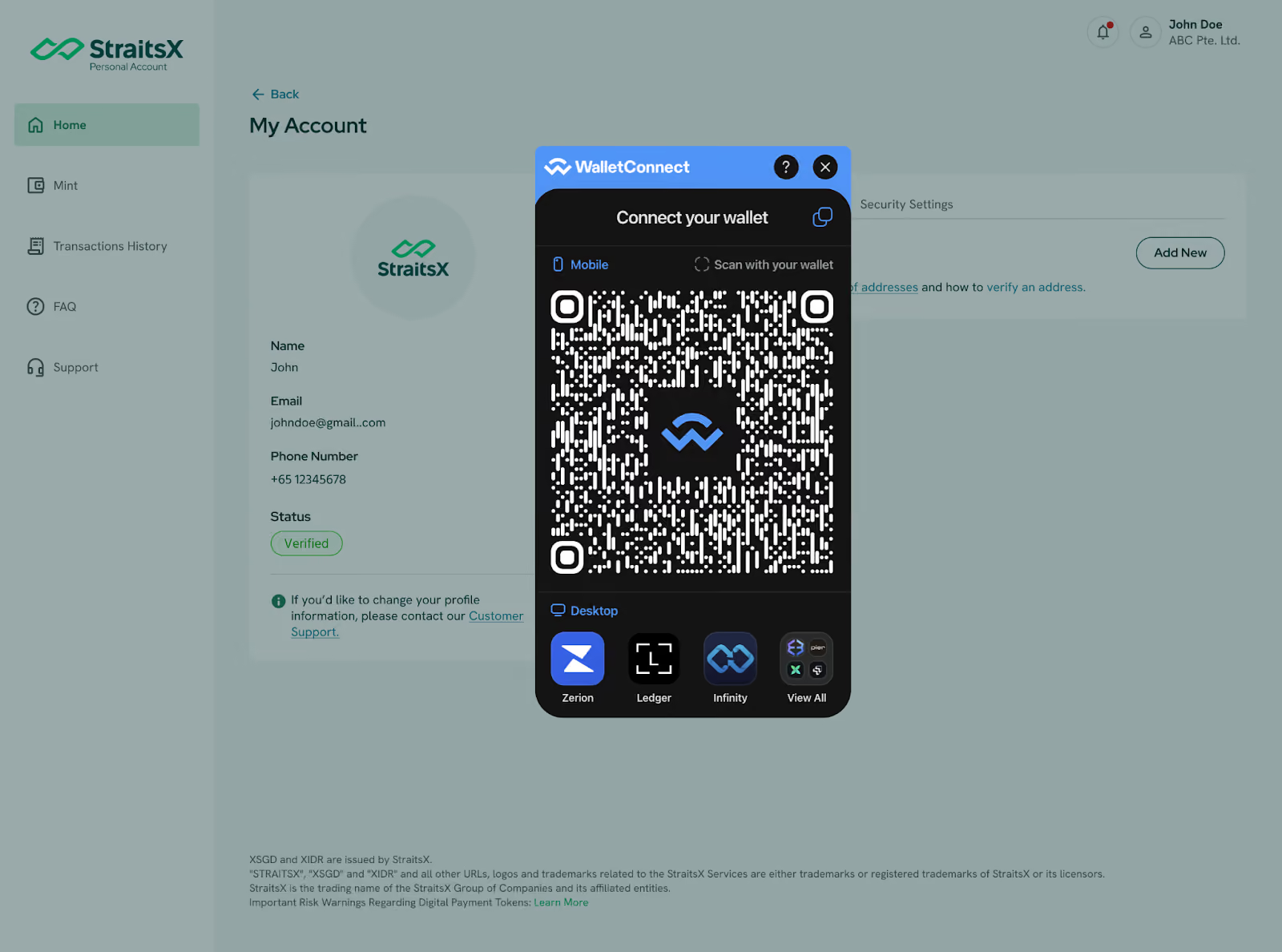
Step 8: Once scanned, a Signature Request on your Wallet Extension or mobile app will ask for permission to connect to StraitsX.
- Tap Connect or Approve on your preferred device.
Step 9: Once your wallet address is connected, your verification request for your wallet will appear on your StraitsX dashboard. Select "Verify and Sign."
- Pro Tip: By signing this request, your wallet will be automatically whitelisted for multiple networks at once, including Ethereum, Polygon, Avalanche C-Chain, Arbitrum, and BNB Smart Chain.
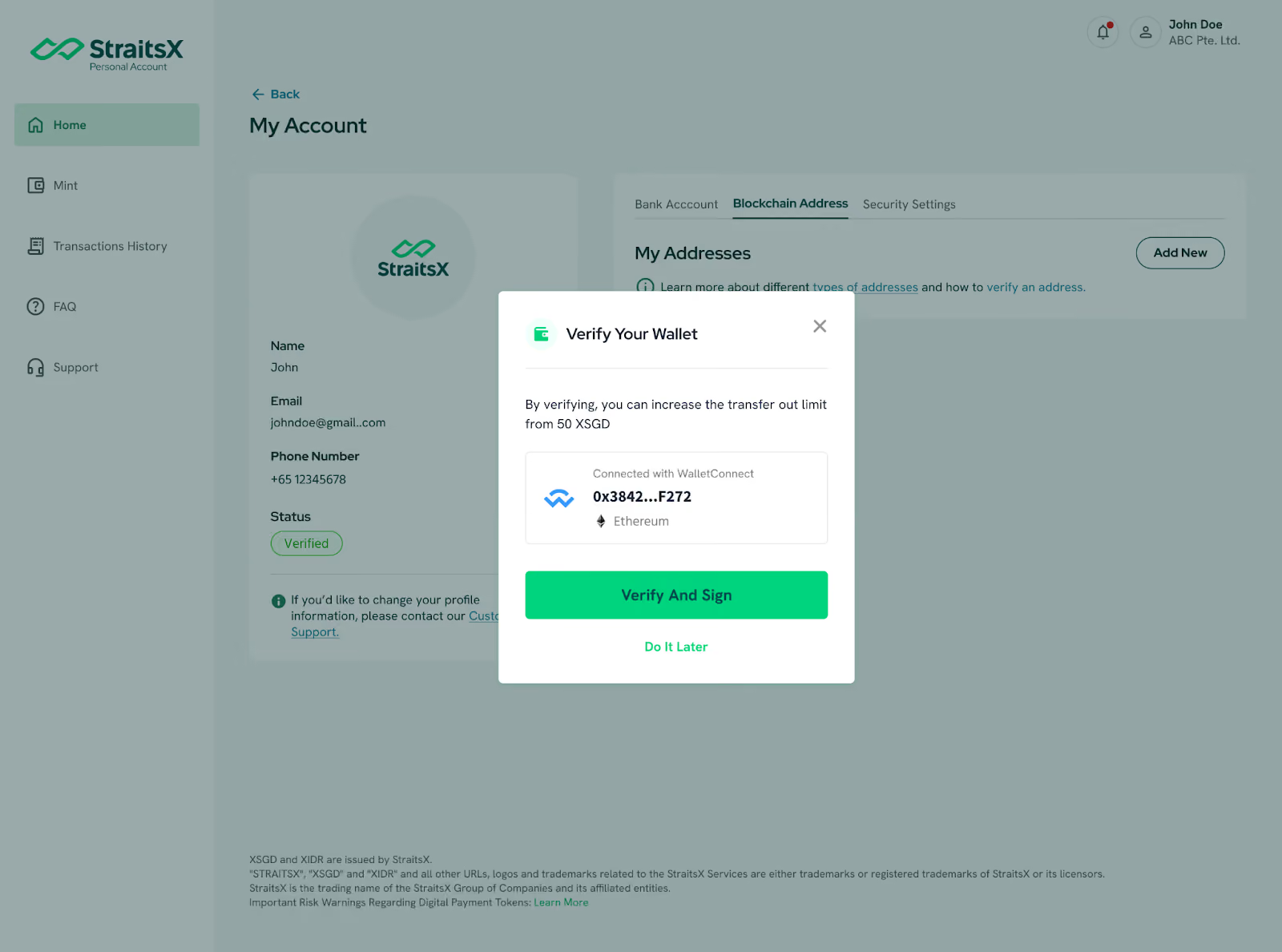
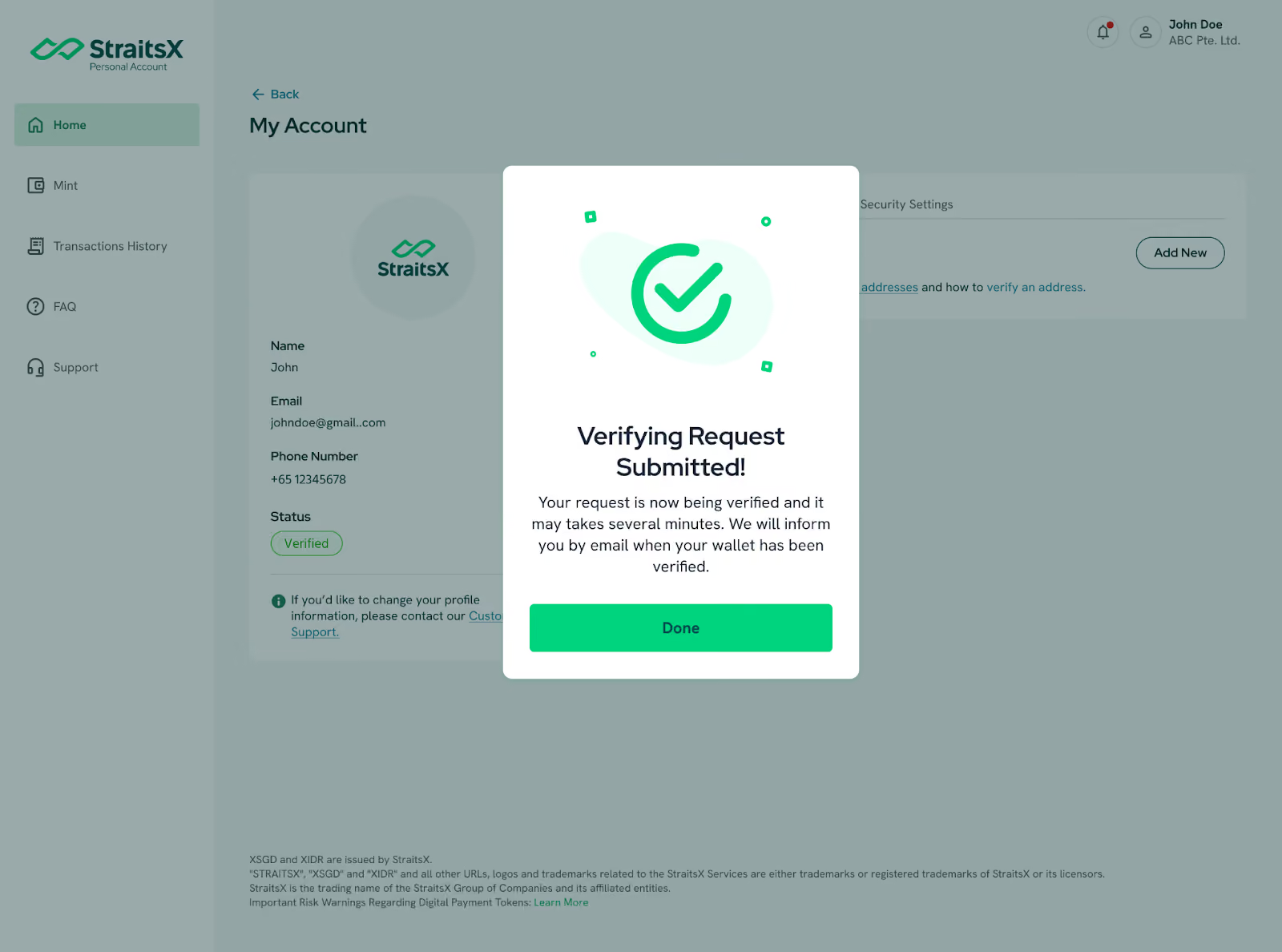
Step 10: Once signed on your WalletConnect extension, your verification request for your wallet will appear on your StraitsX dashboard.
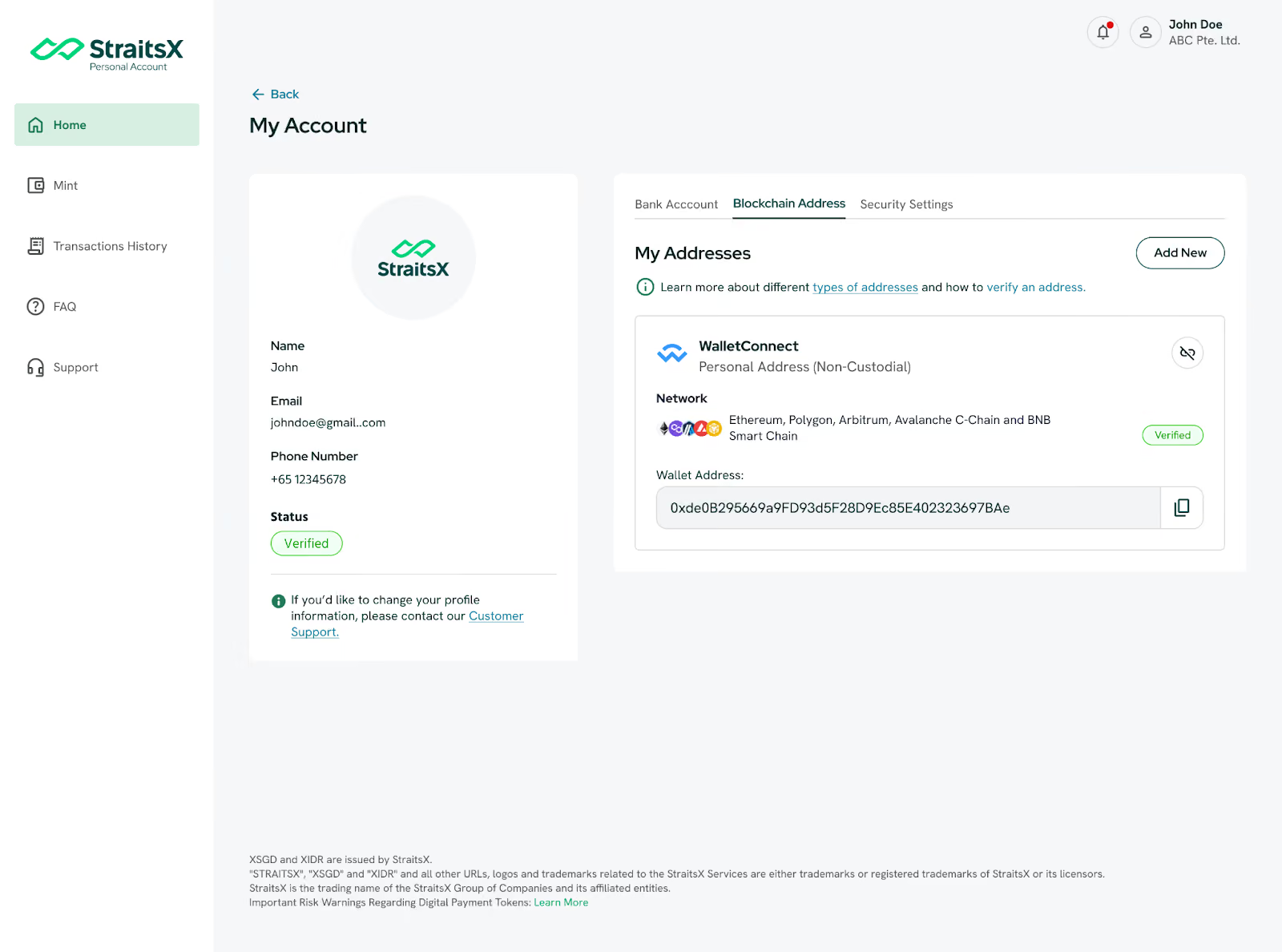
Step 11: Your WalletConnect wallet address will now show up under your "Blockchain Addresses" list with a Verified status.
* Do note that verification of blockchain addresses with a Digital Asset Platform may take up to 1 business day.
Why use WalletConnect for whitelisting?
- Mobile-First: The easiest way to verify addresses if you don't use desktop browser extensions.
- Instant Limit Increase: Once verified, the standard 50 XSGD transfer-out limit is lifted, and your incoming transfers will be credited automatically.
- The Best Part: This verification is completely gasless, meaning you don’t need to pay any network fees.
Ready to start? Log in to StraitsX and link your blockchain wallet today!