
How to Transfer In and Out XUSD with StraitsX
Over the past year, XUSD has become a core part of how our users move value, whether it’s for 24/7 cross-border payments, accessing on-chain opportunities, or simplifying multi-currency treasury flows. For many investors, the most critical question is how to buy stablecoins with the same regulatory confidence as traditional banking.
XUSD is easily accessible to corporate and retail investors alike, with seamless 1:1 conversion between USD and XUSD, made possible via USD bank transfers on your StraitsX account.
Here’s a step-by-step guide on how to transfer USD in and out using XUSD.
Transfer In & Out Step by Step Guide
How to Transfer In XUSD via Bank Transfer
Processing time: 2–5 business days
Minimum transfer amount: USD 10
Fees: None
Supported banks: Singapore and overseas bank accounts
Watch our guided tutorial on How to Transfer In via Bank Transfer
- Log in to your StraitsX account and select preferred currency under the Transfer In dropdown
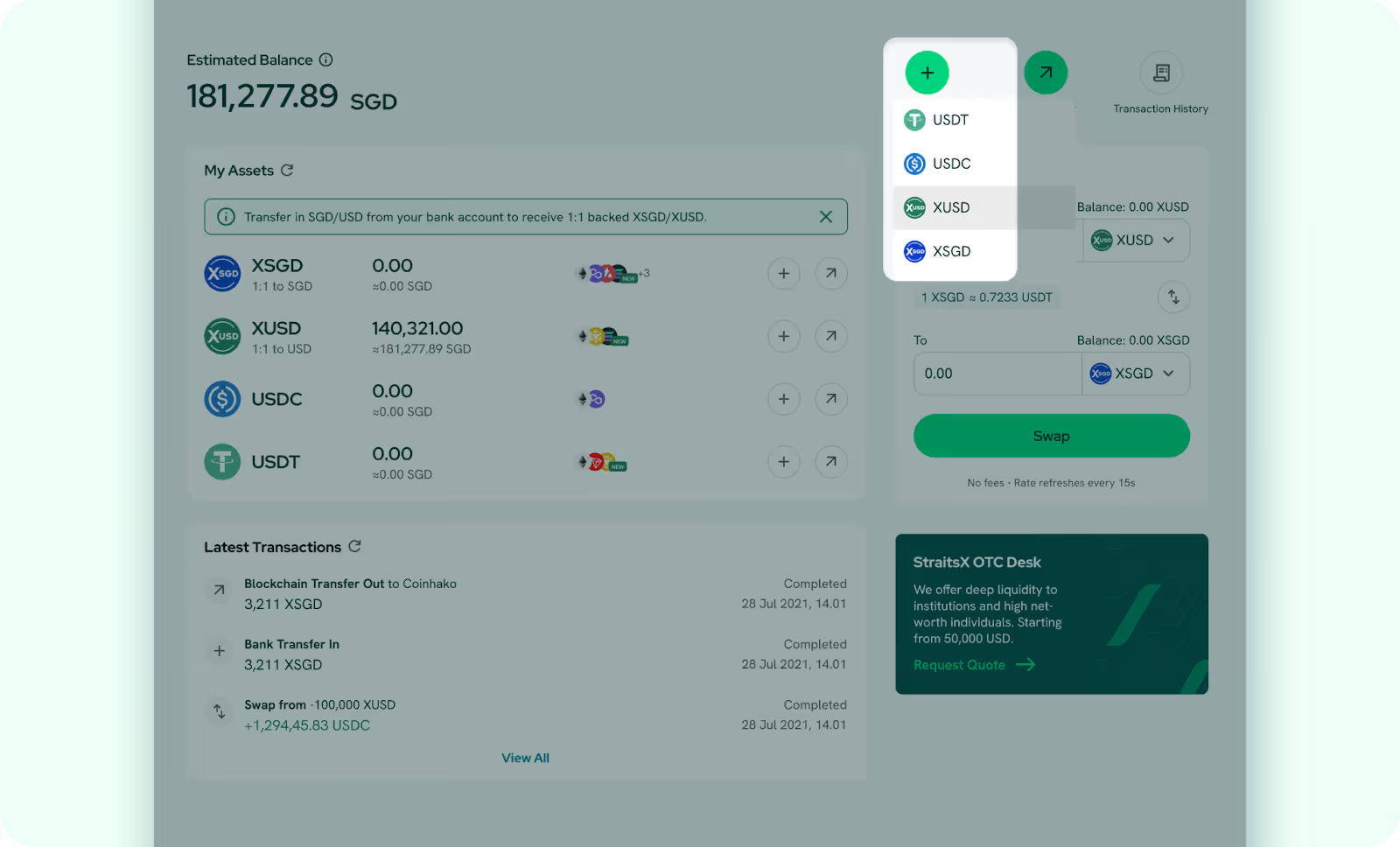
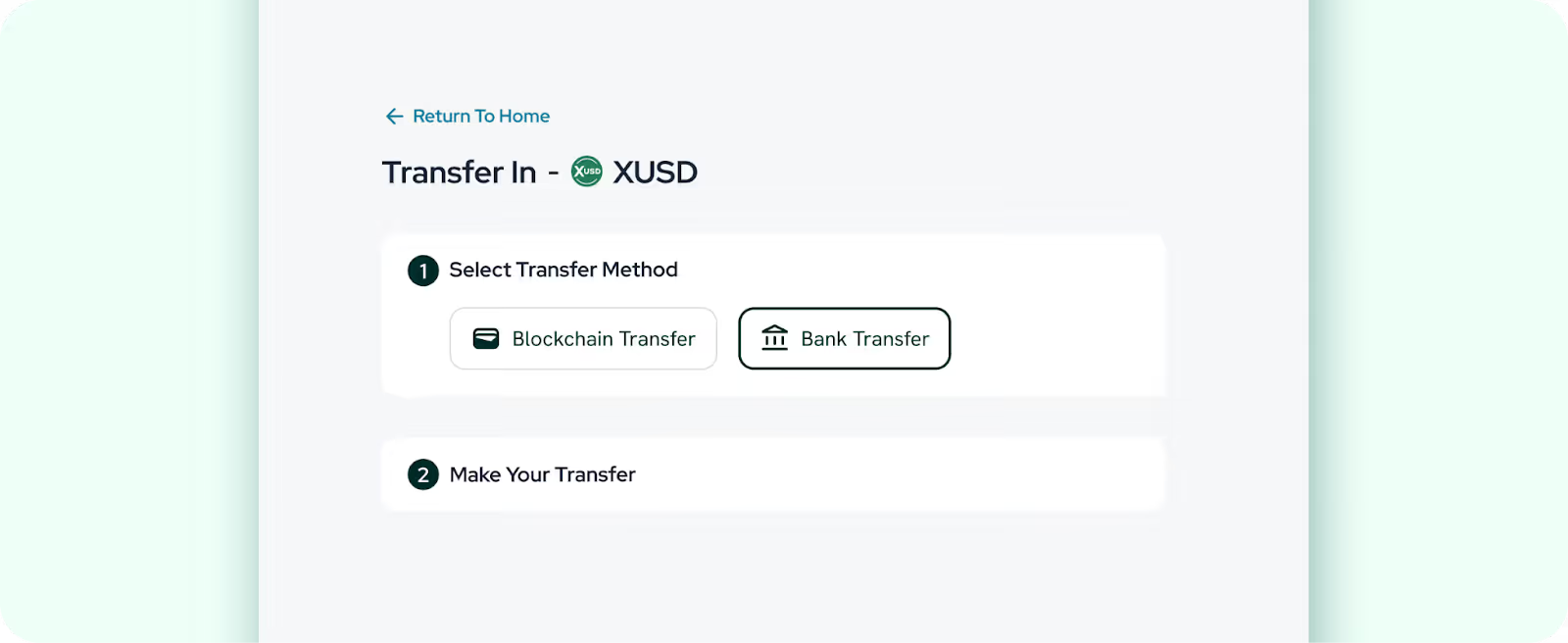
- Select Bank Transfer as the transfer method.
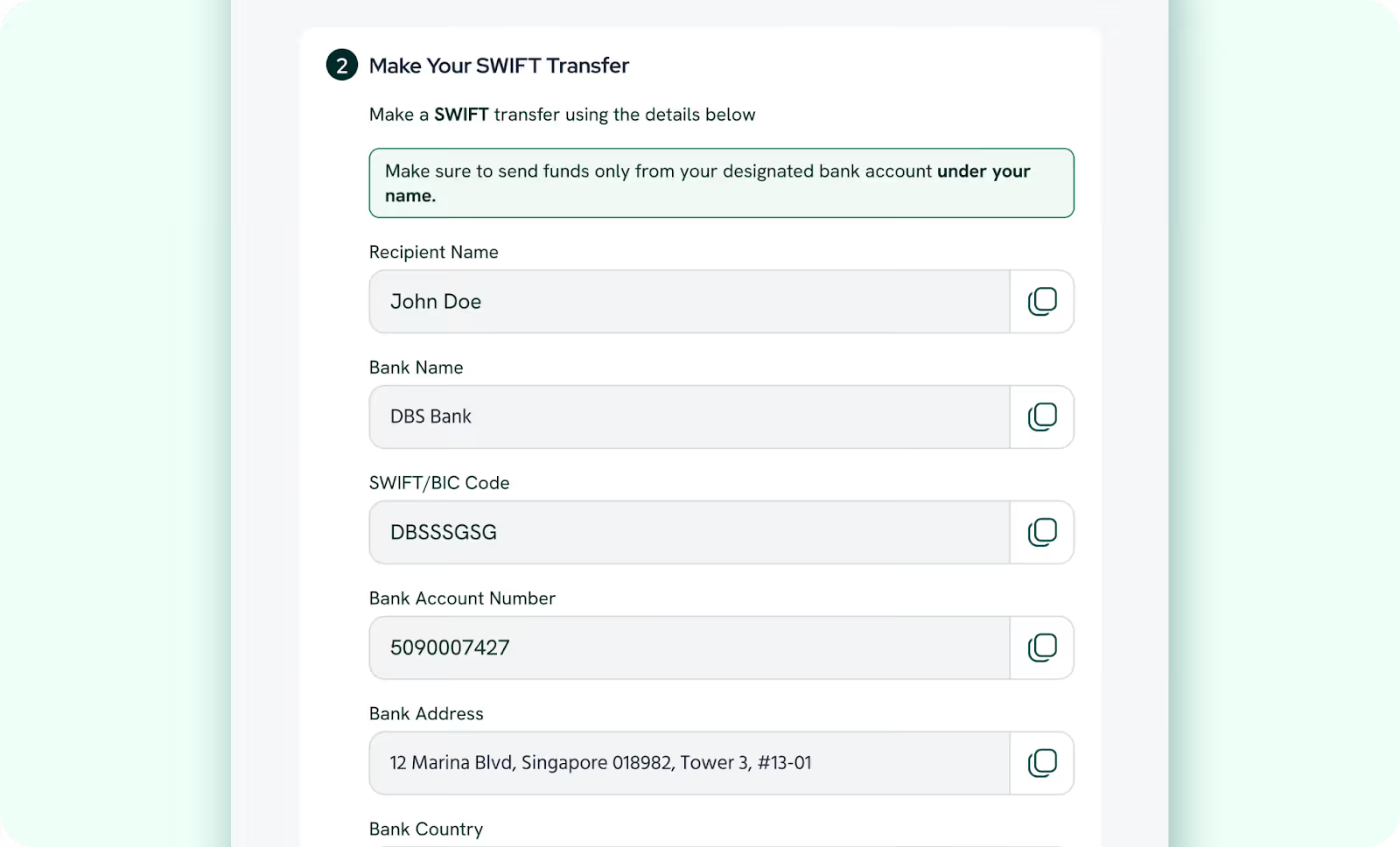
- Make a SWIFT transfer from your bank’s mobile app or website
- Review the transfer details and select I’ve Transferred
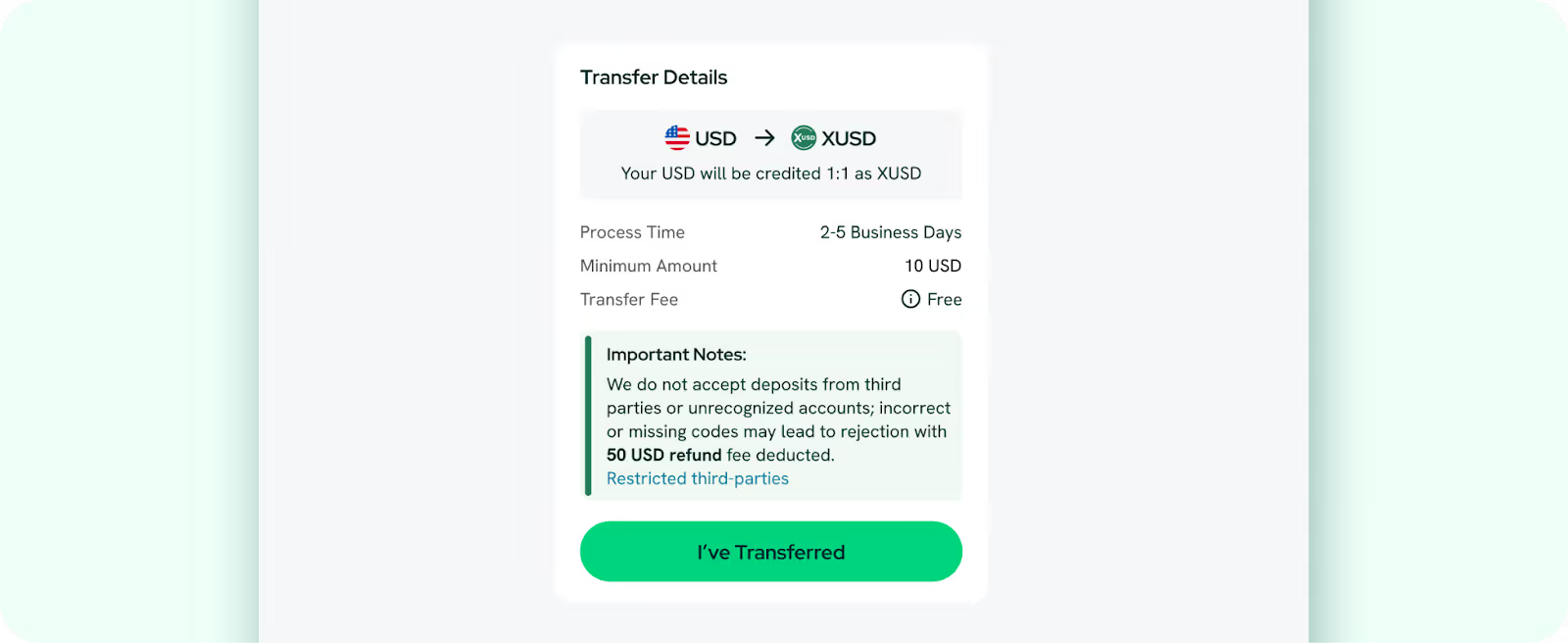
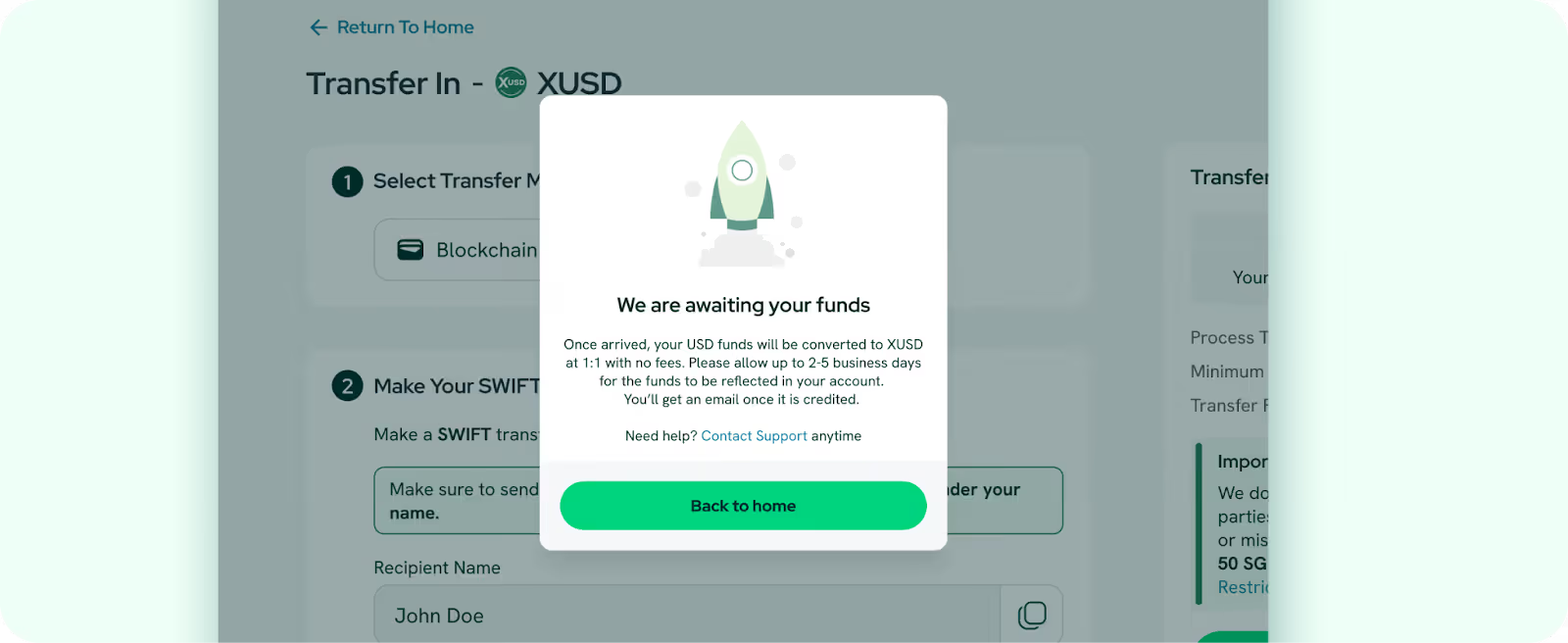
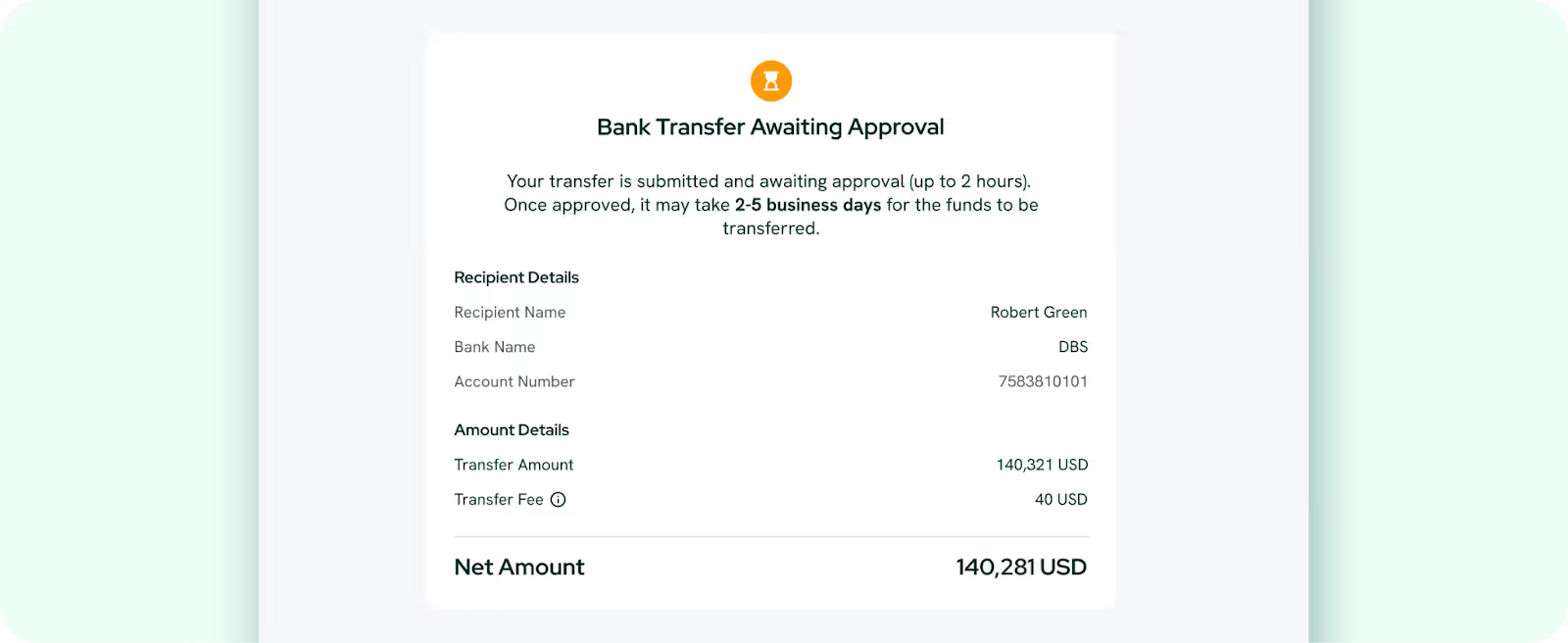
- Your balance will be updated within 2-5 business days. You will receive an email once your USD funds are credited and converted at a 1:1 rate with no fees applied.
How to Transfer Out XUSD via Bank Transfer
Processing time: 2–5 business days
Minimum withdrawal amount: 10 USD
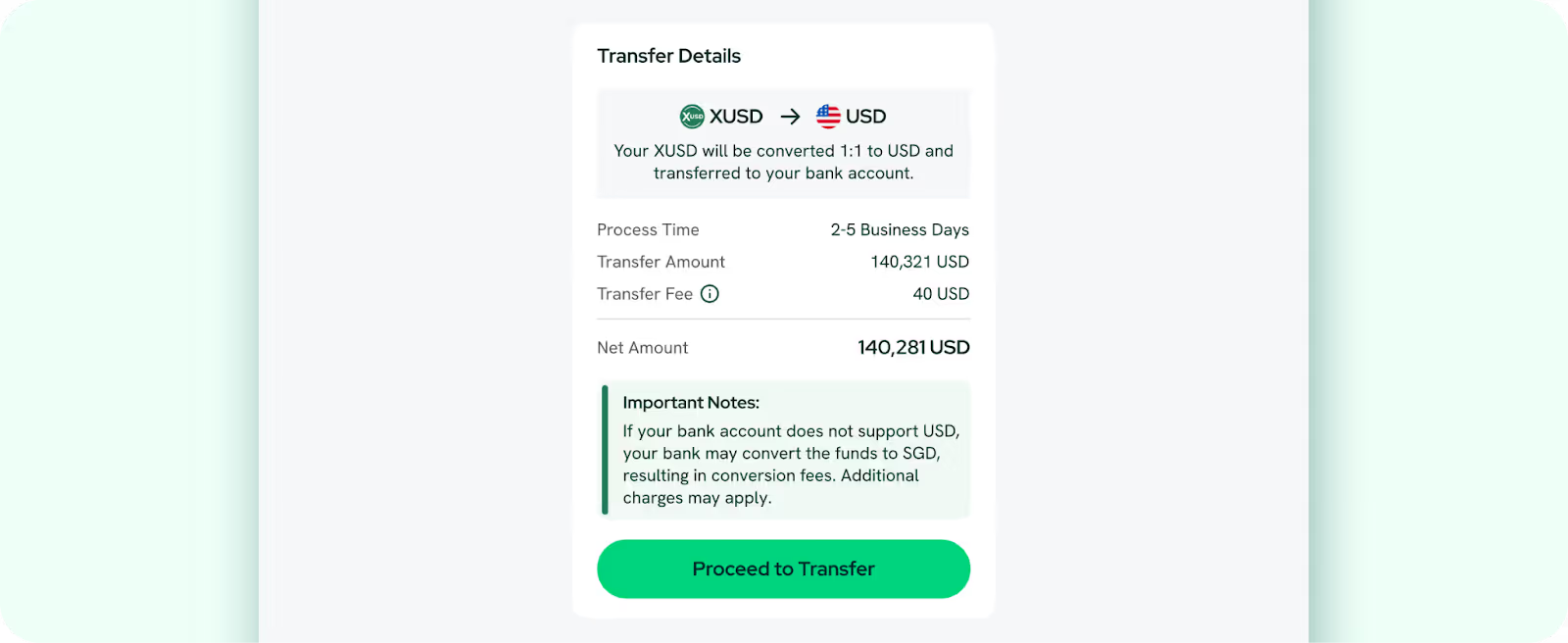
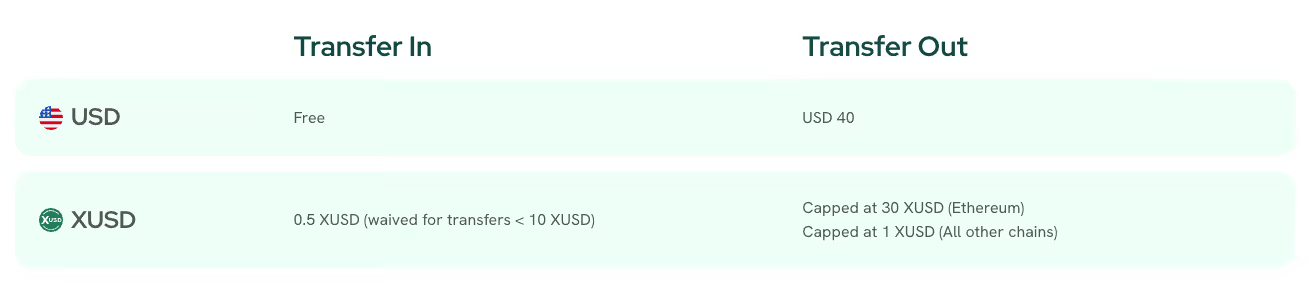
Fees: Flat 40 USD per transaction
Supported banks: Singapore and overseas bank accounts
Watch our guided tutorial on How to Transfer Out via Bank Transfer
- Log in to your StraitsX account and select your preferred currency under the Transfer Out dropdown.
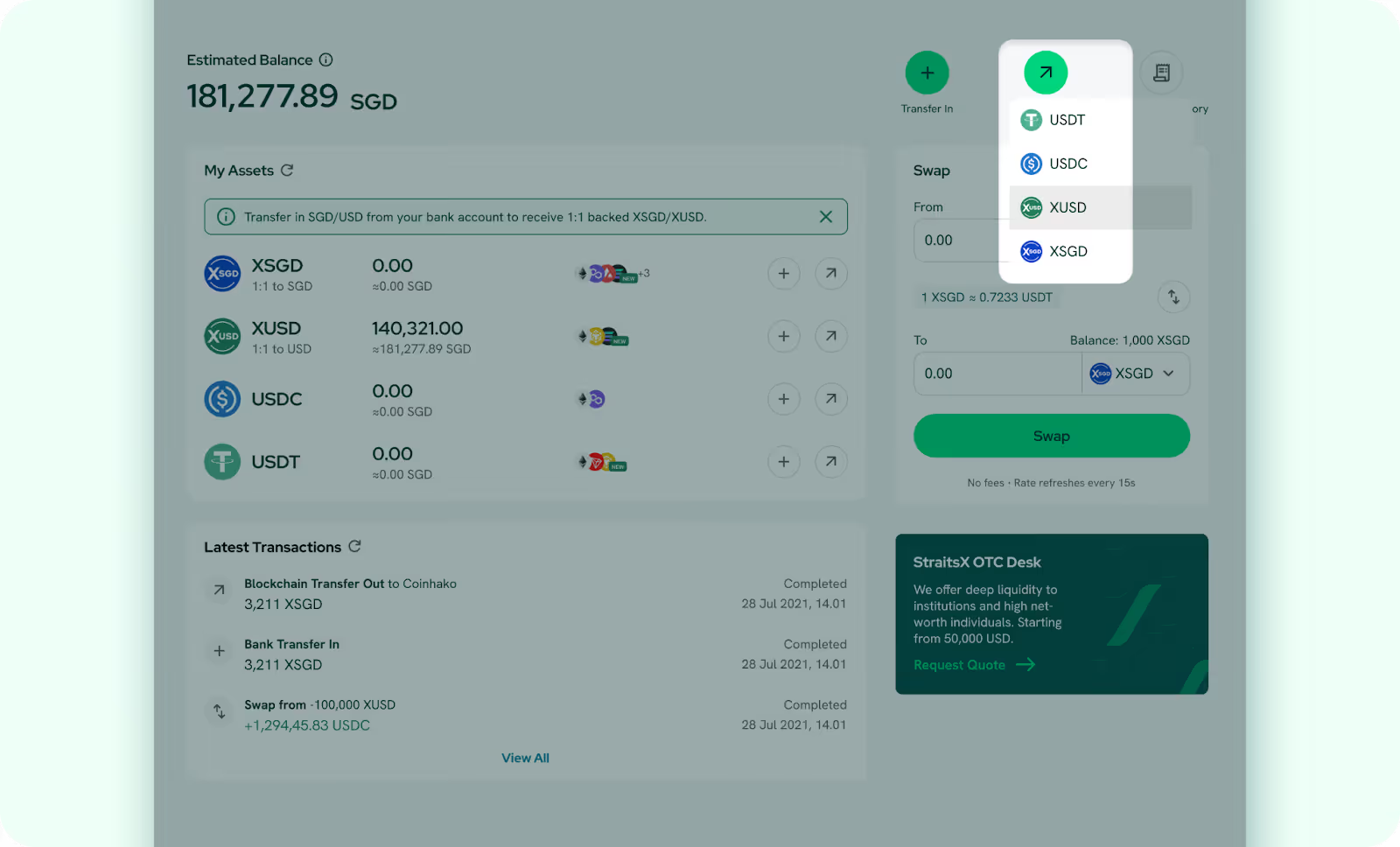
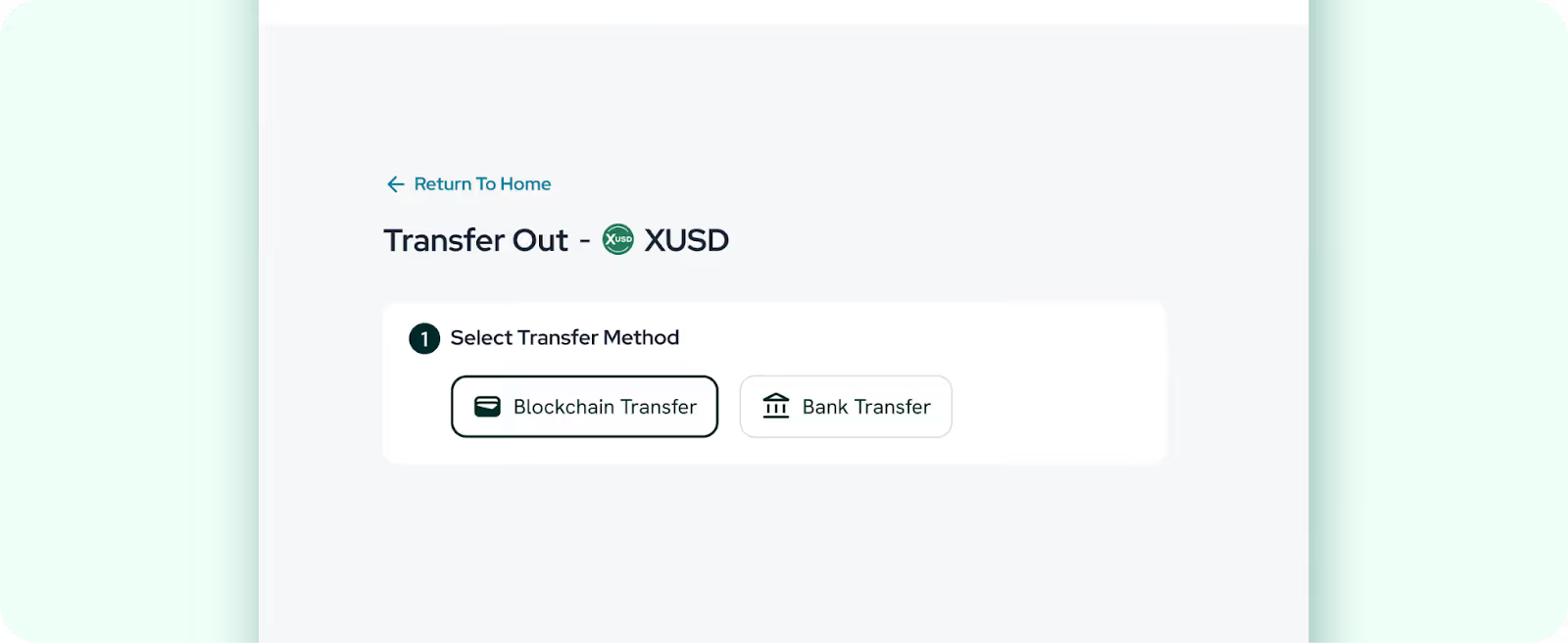
- Select Bank Transfer as the transfer method.
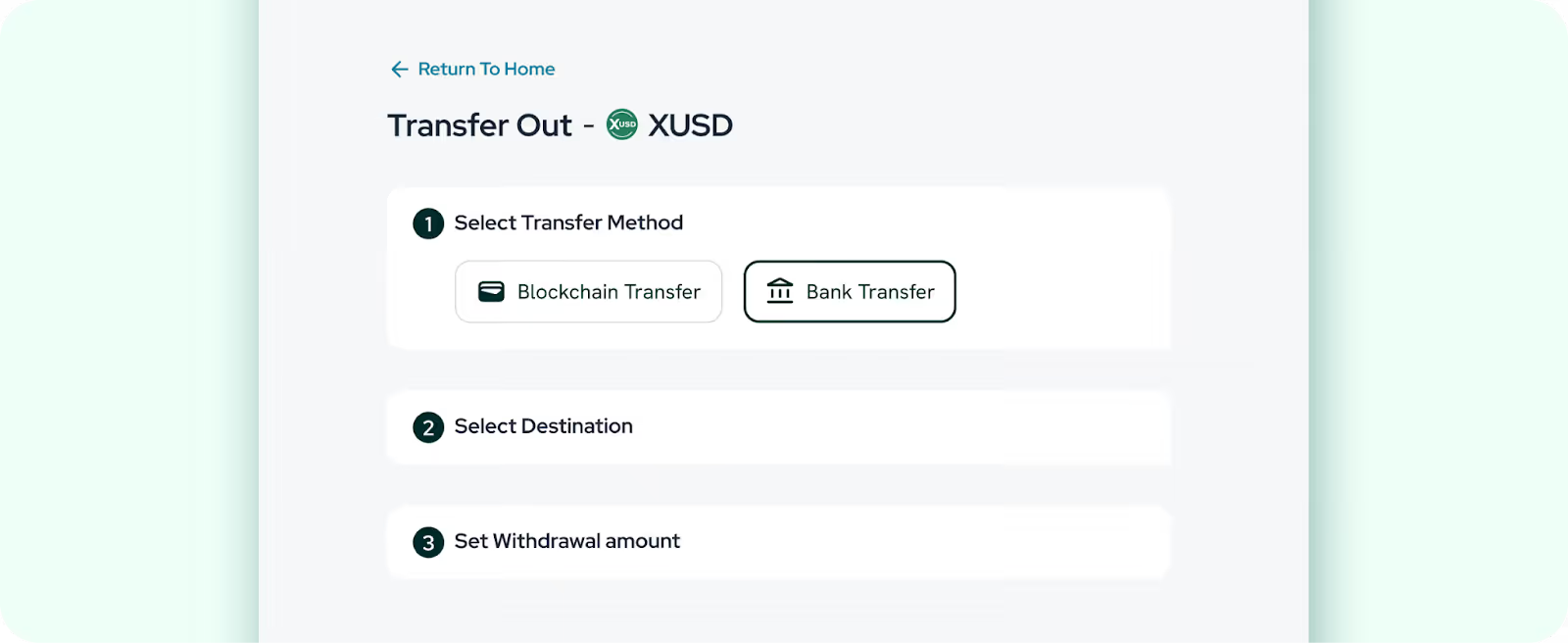
- Choose a bank account to receive your funds.
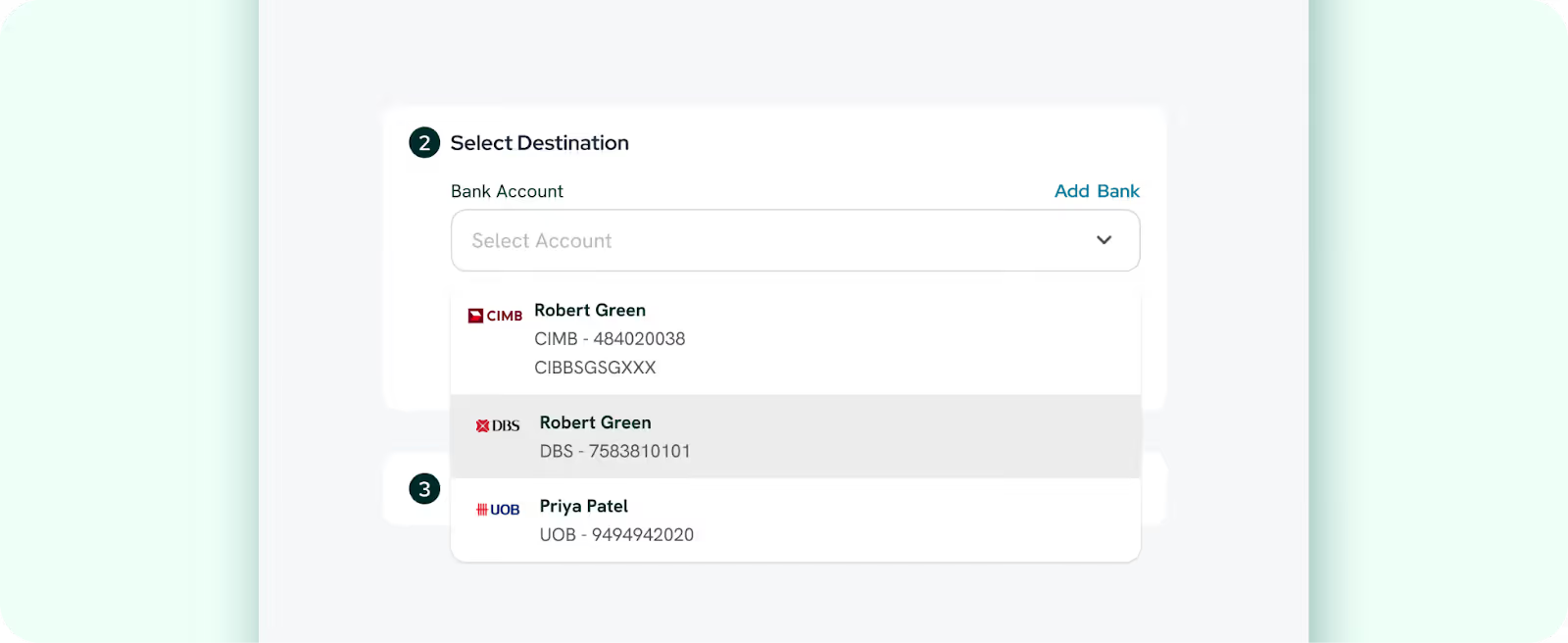
- Enter your withdrawal amount.
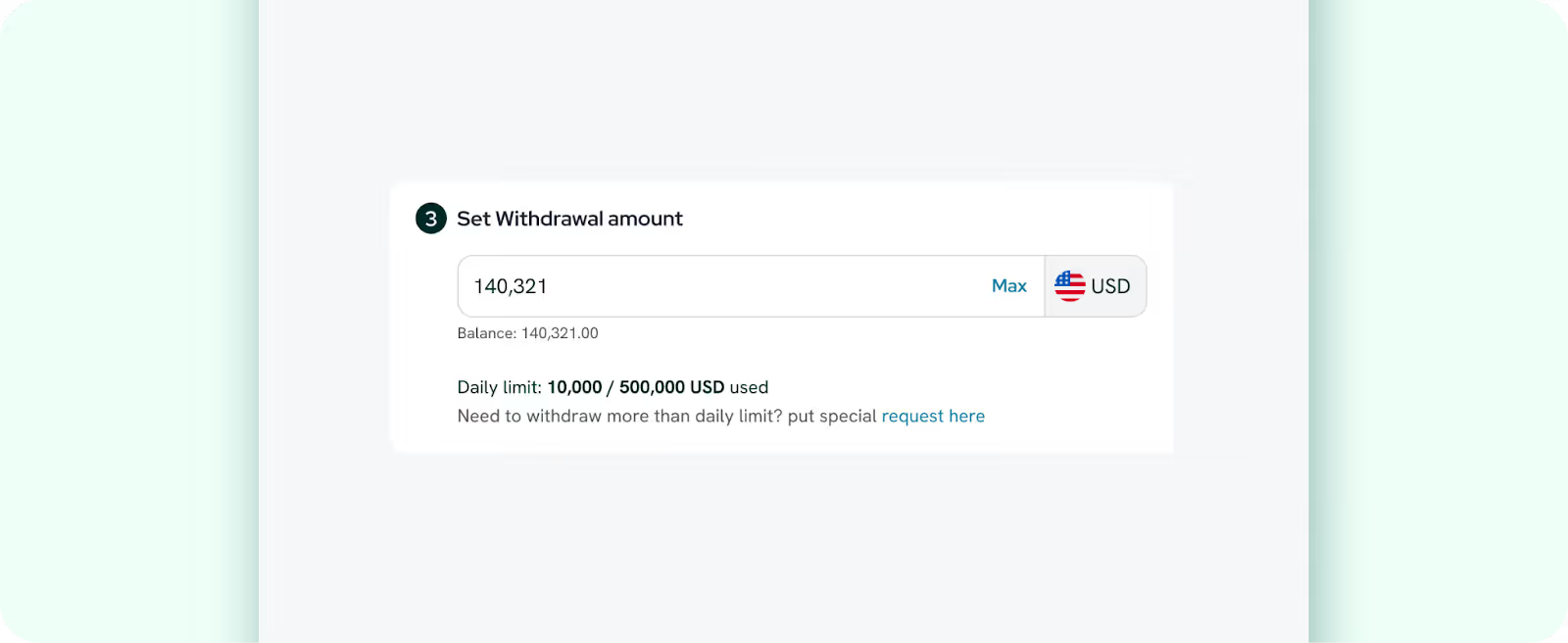
- Check the transfer details and select Proceed to transfer.
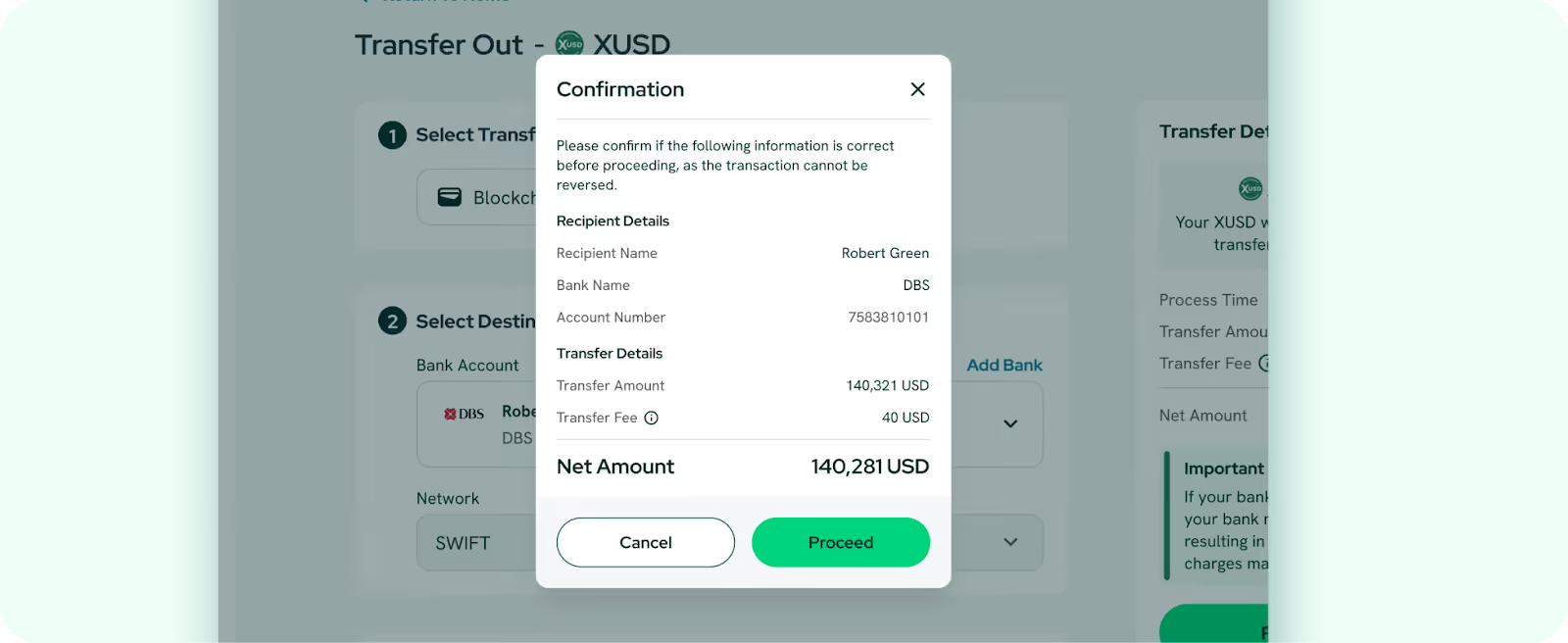
- Review the recipient and transfer details again then click Confirm.
- Enter your 6-digit code by your 2-Factor Authentication (2FA) App.
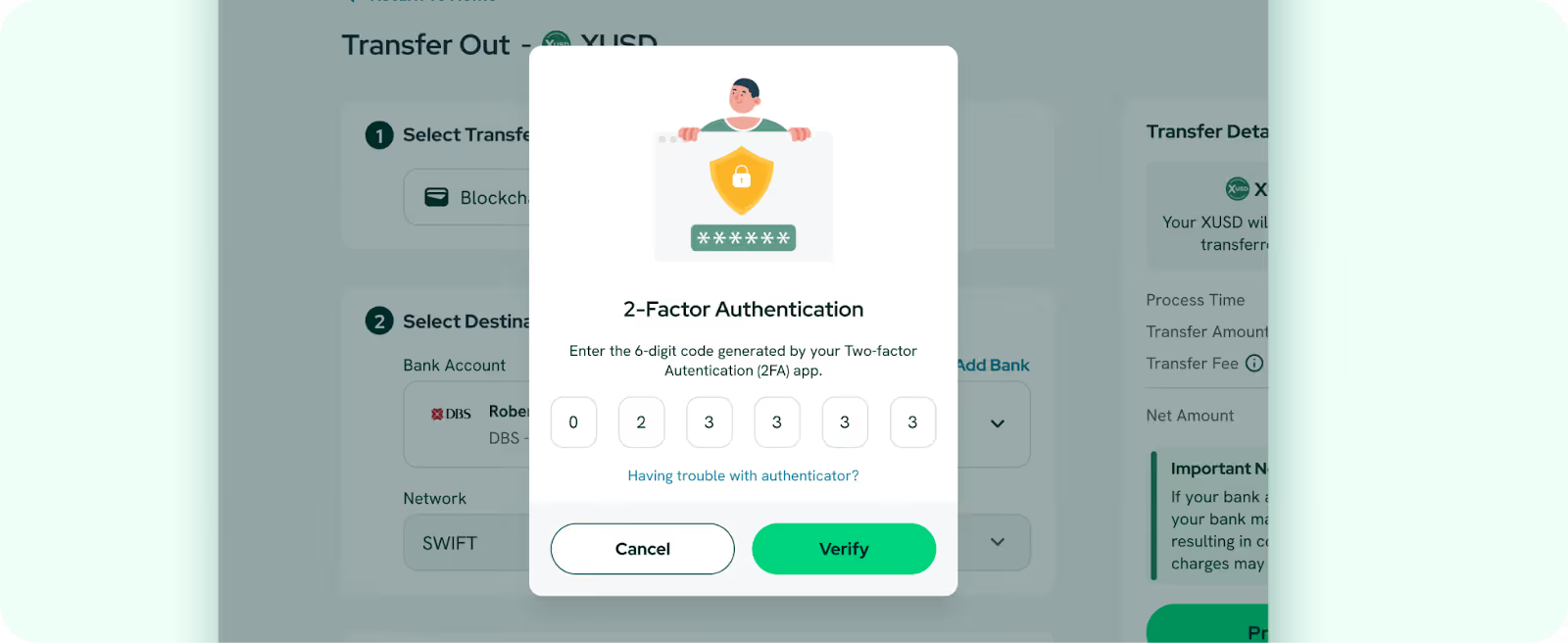
- You will receive an email once your funds are credited to your bank account. Note: A USD 40 transaction fee applies to all USD transfers.
How to Transfer In XUSD via Blockchain Transfer
Processing time: 24 hours
Minimum transfer amount: 1 XUSD
Fees: 0.5 XUSD (waived for < 10 XUSD)
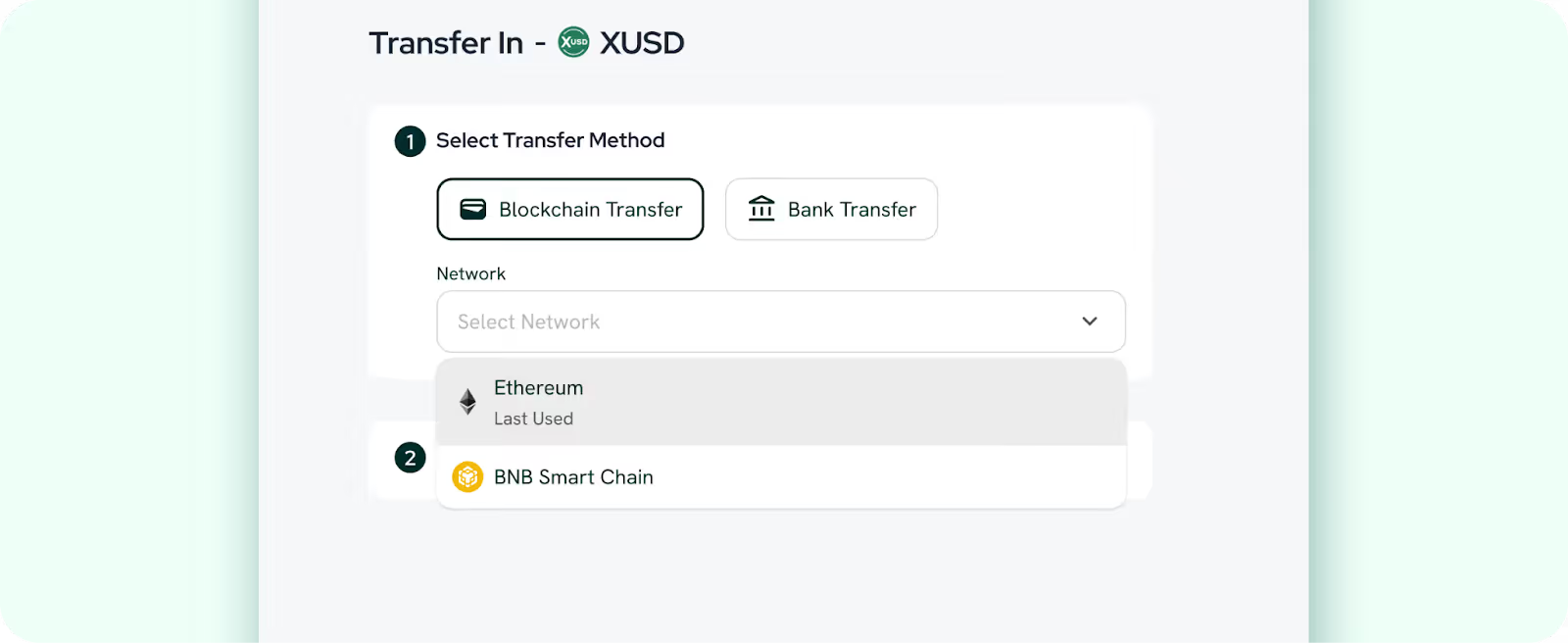
Supported blockchain networks: Ethereum, BNB Smart Chain
Watch our guided tutorial on How to Transfer In via Blockchain Transfer
- Log in to your StraitsX account and select your preferred currency under the Transfer In dropdown.
- Select Blockchain Transfer as your method.
- Select your Network. (Note: Ensure the network supports your specific asset).
- Send funds to the blockchain address below.
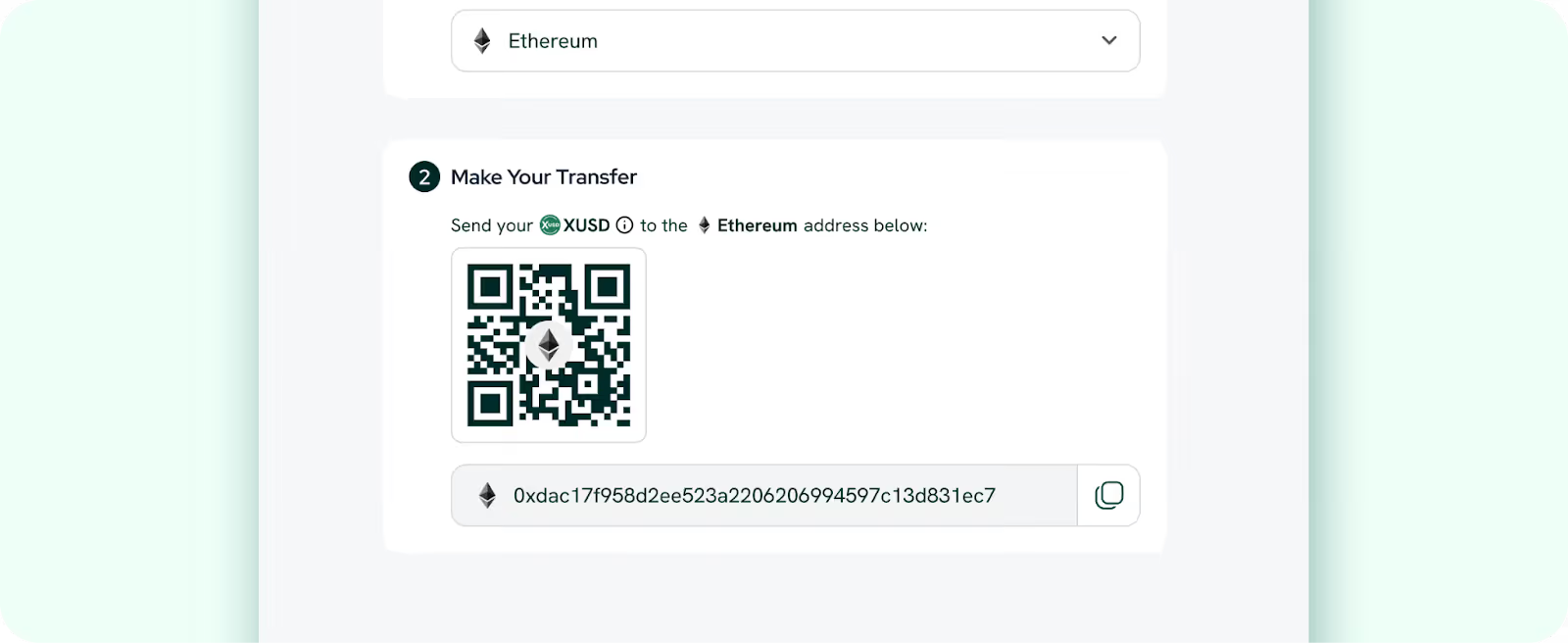
- After you’ve completed the transfer, select I’ve Transferred.
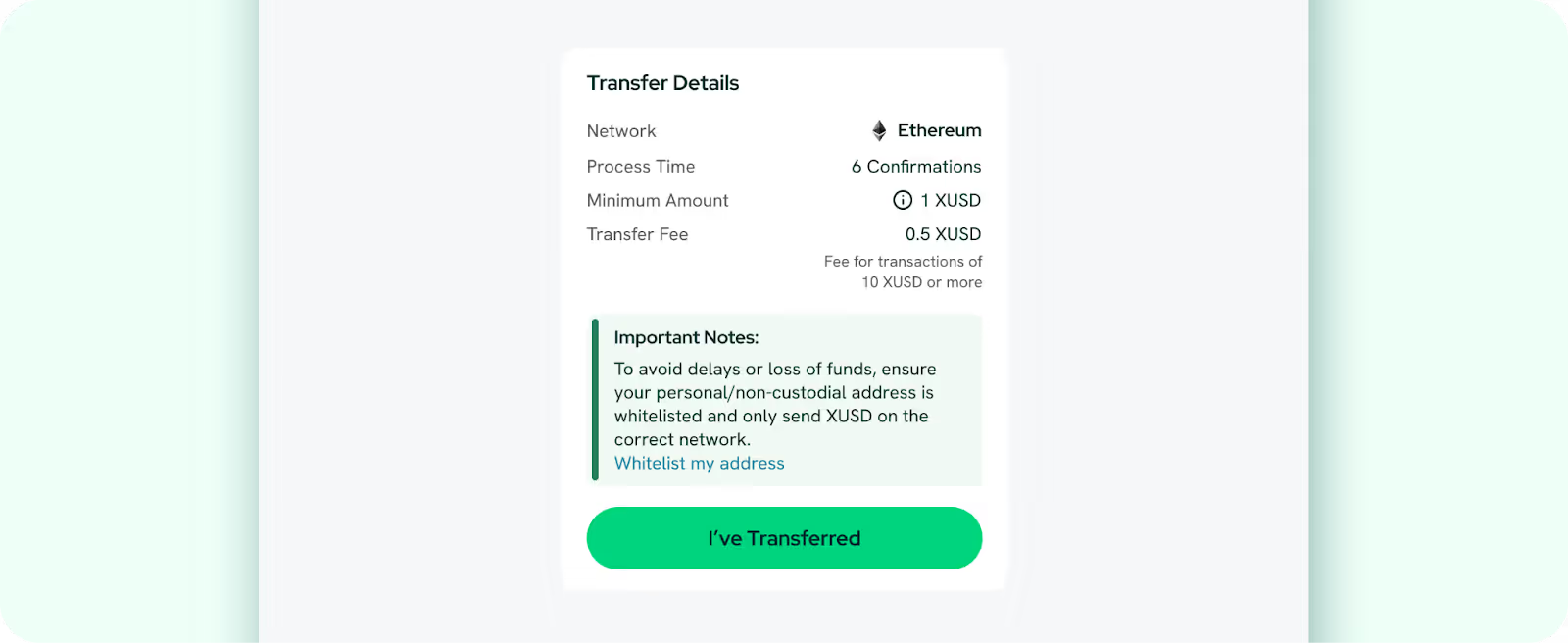
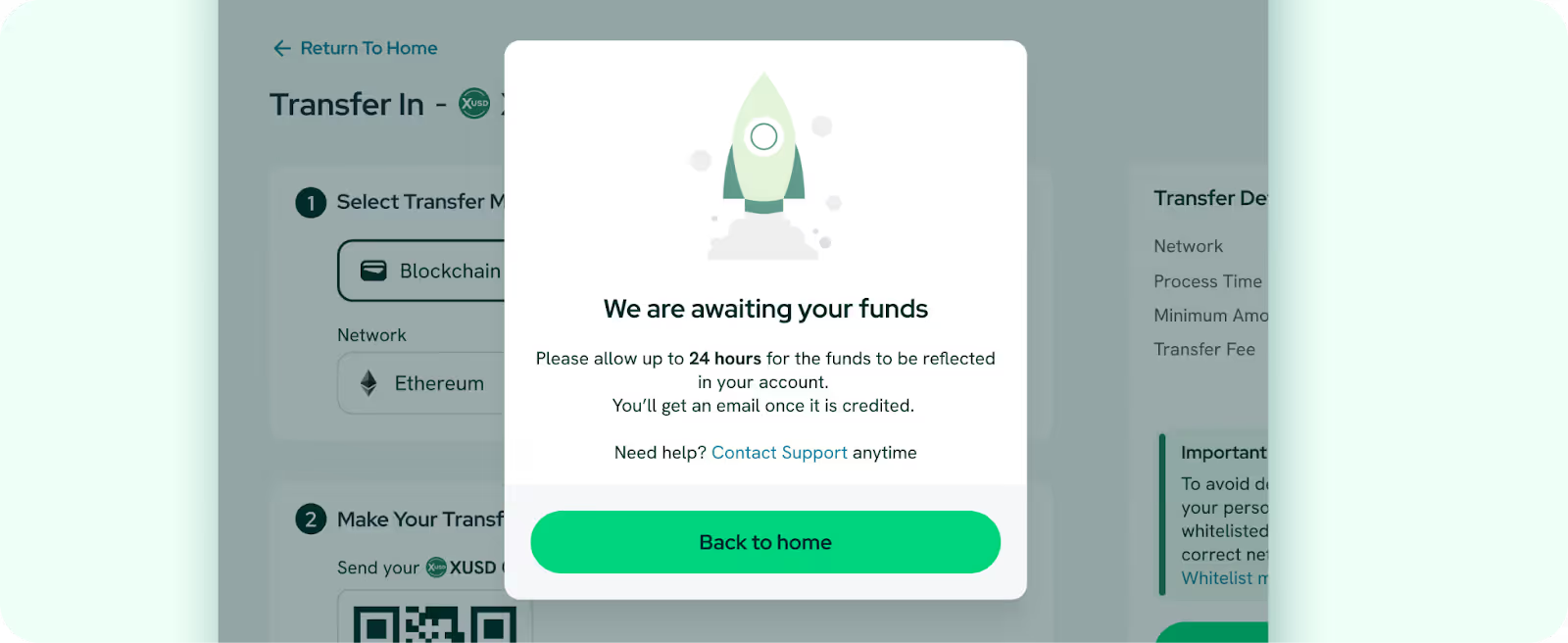
- You will receive an email once your funds have been credited and converted to the stablecoin of choice at a 1:1 rate, with network transaction fees applied.
How to Transfer Out XUSD via Blockchain Transfer
Processing time: 24 hours
Minimum withdrawal amount: 10 XUSD
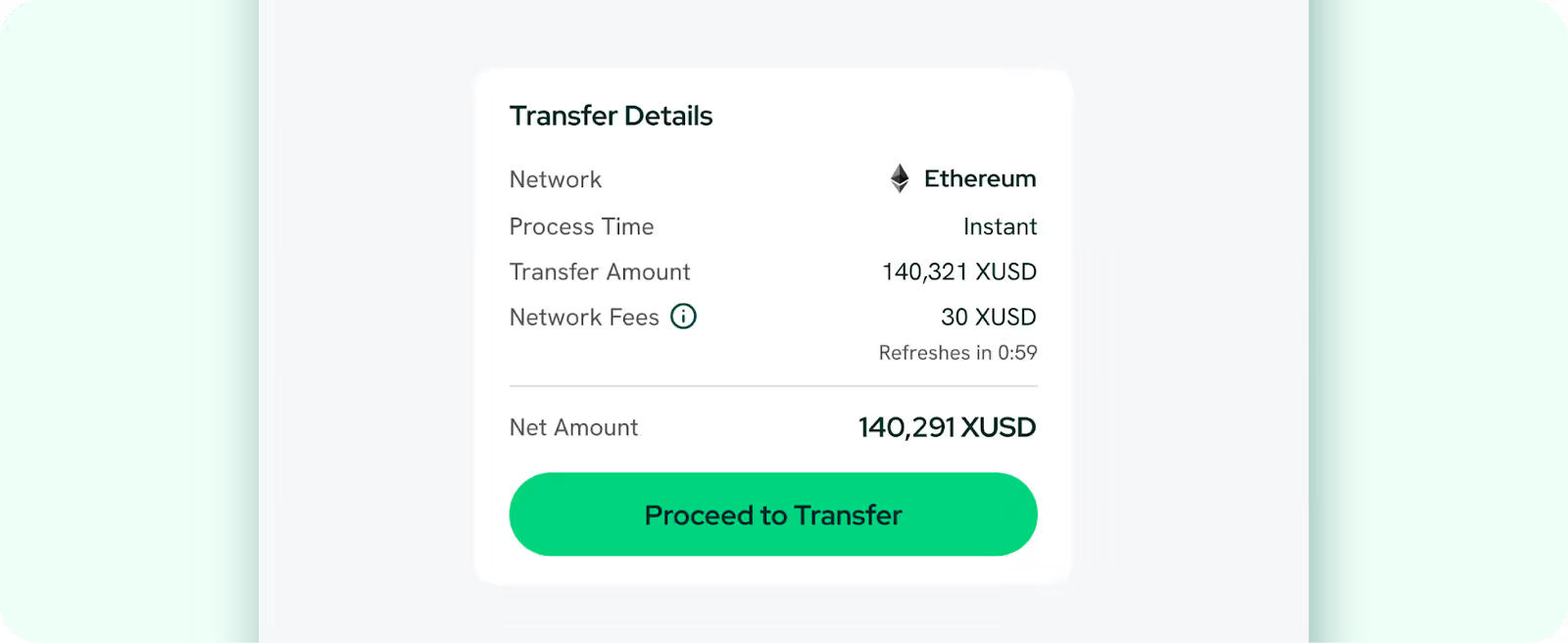
Fees: Capped at 30 XUSD (Ethereum, BNB Smart Chain)
Supported blockchain networks: Ethereum, BNB Smart Chain
Watch our guided tutorial on How to Transfer Out via Blockchain Transfer
- Log in to your StraitsX account and select your preferred currency under the Transfer Out dropdown.
- Select Blockchain Transfer as the transfer method.
- Choose a blockchain wallet to receive your funds. If you haven't added a blockchain wallet to your account yet, follow this guide to whitelist your personal address.
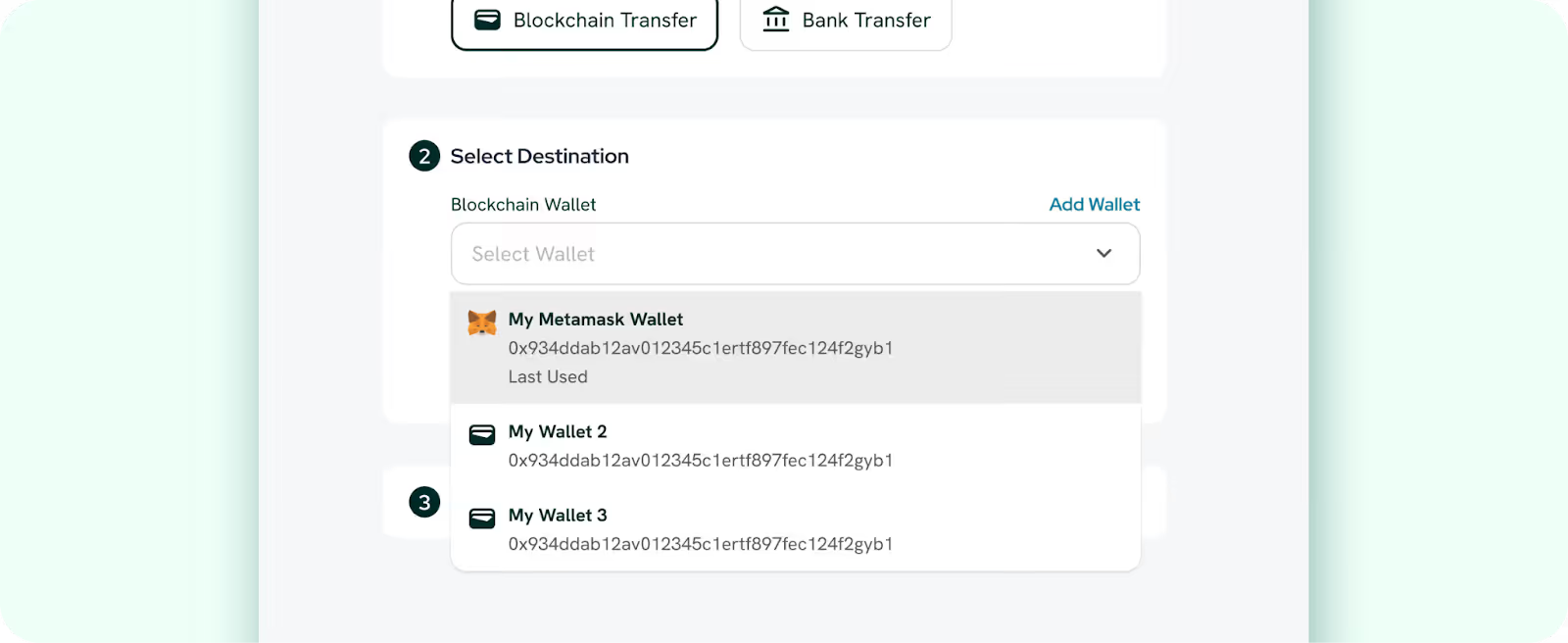
- Pick your Network. (Note: Ensure the network supports your specific asset).
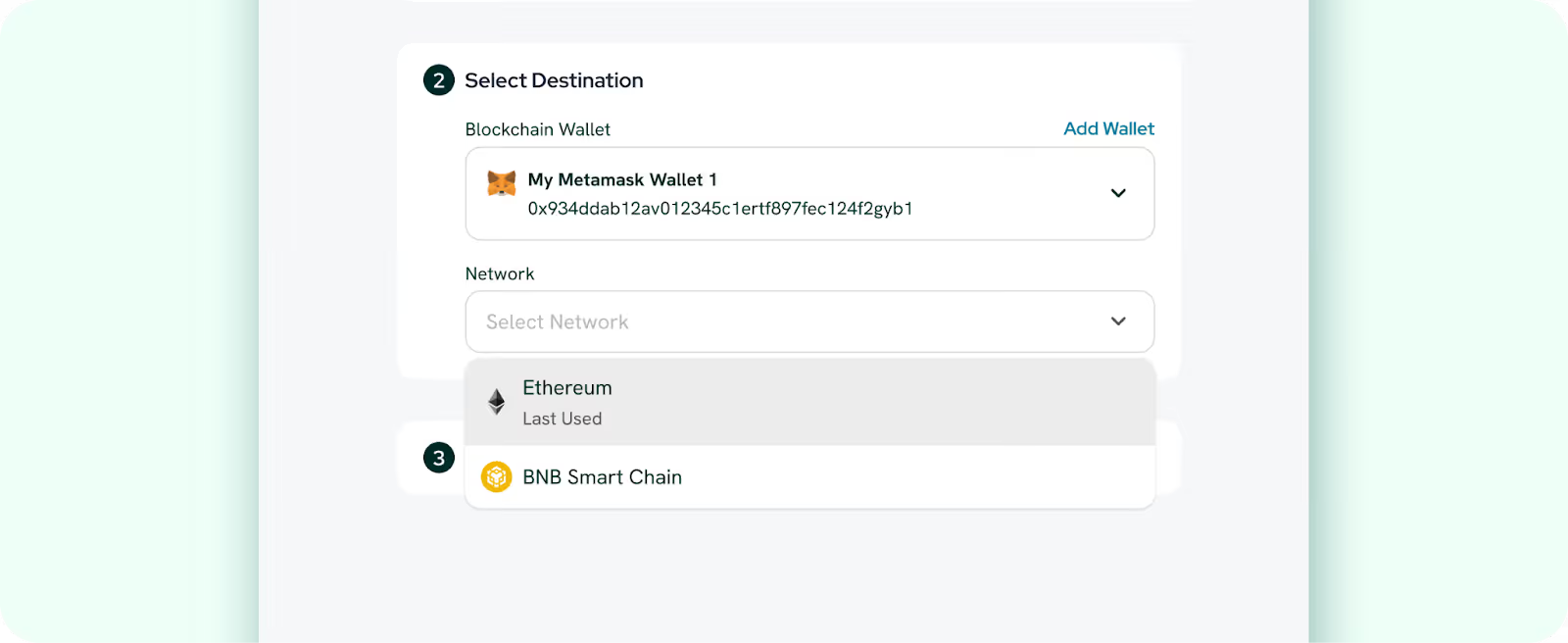
- Enter your withdrawal amount.
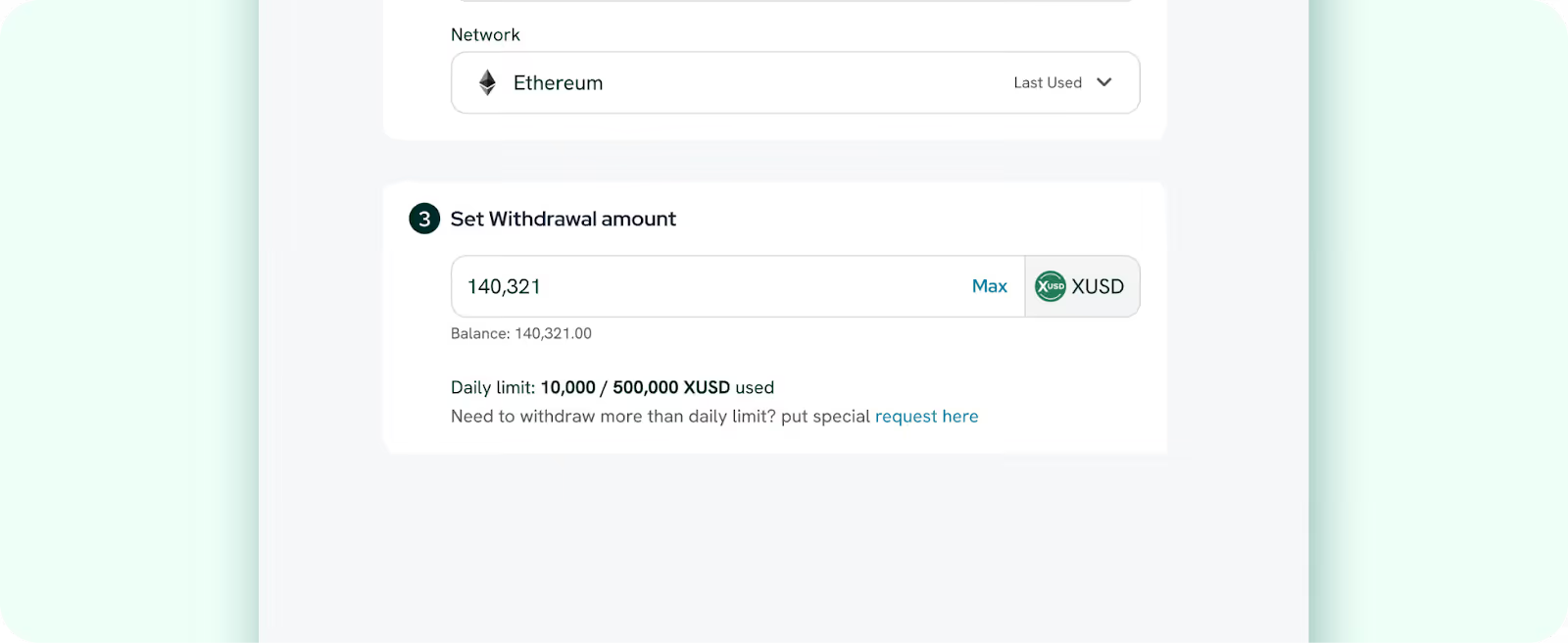
- Check the transfer details and click Proceed to Transfer.
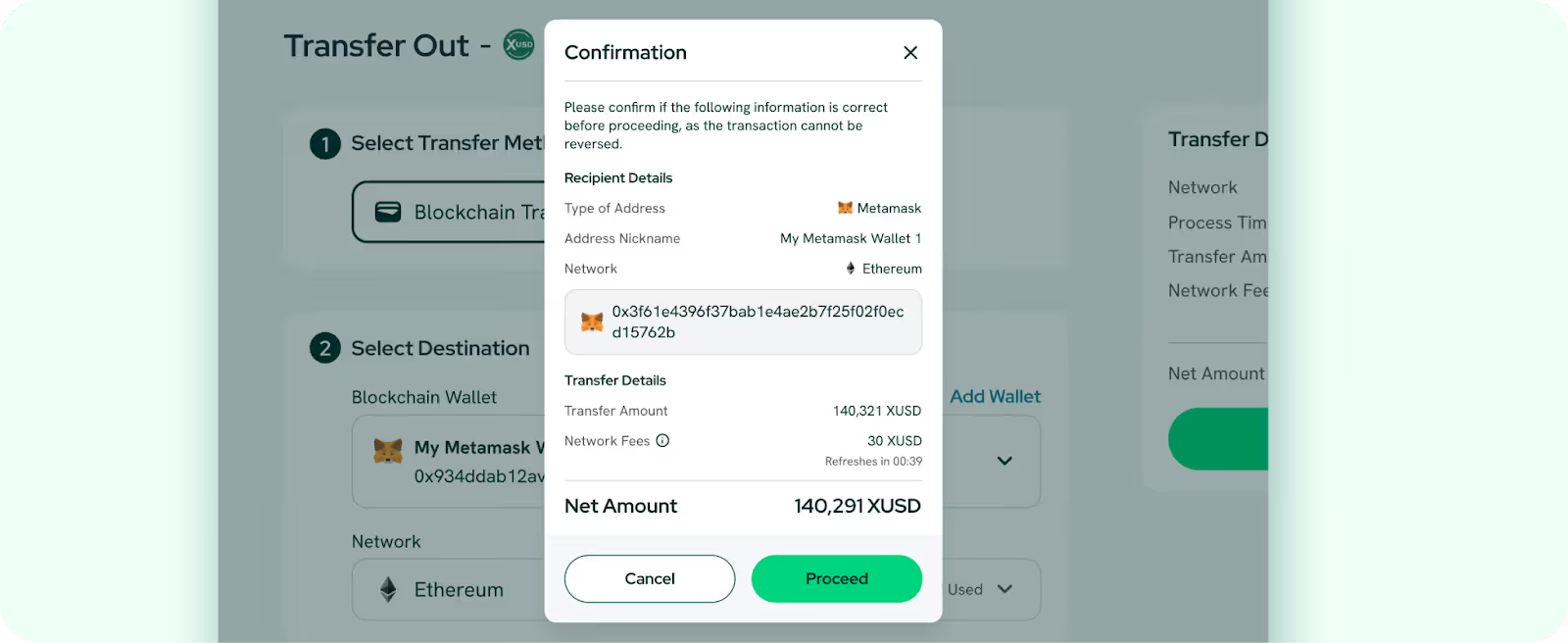
- Review the recipient and transfer details then click Proceed again to confirm.
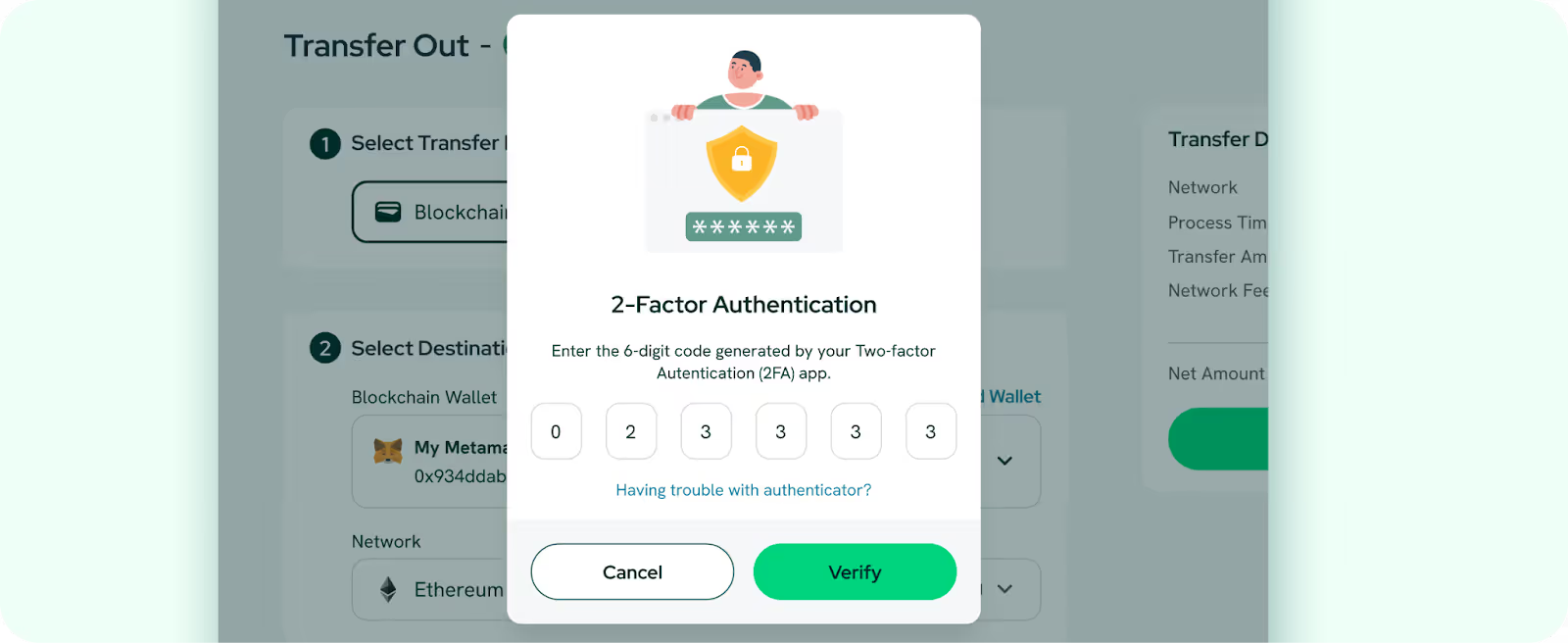
- Enter your 6-digit code by your 2-Factor Authentication (2FA) App.
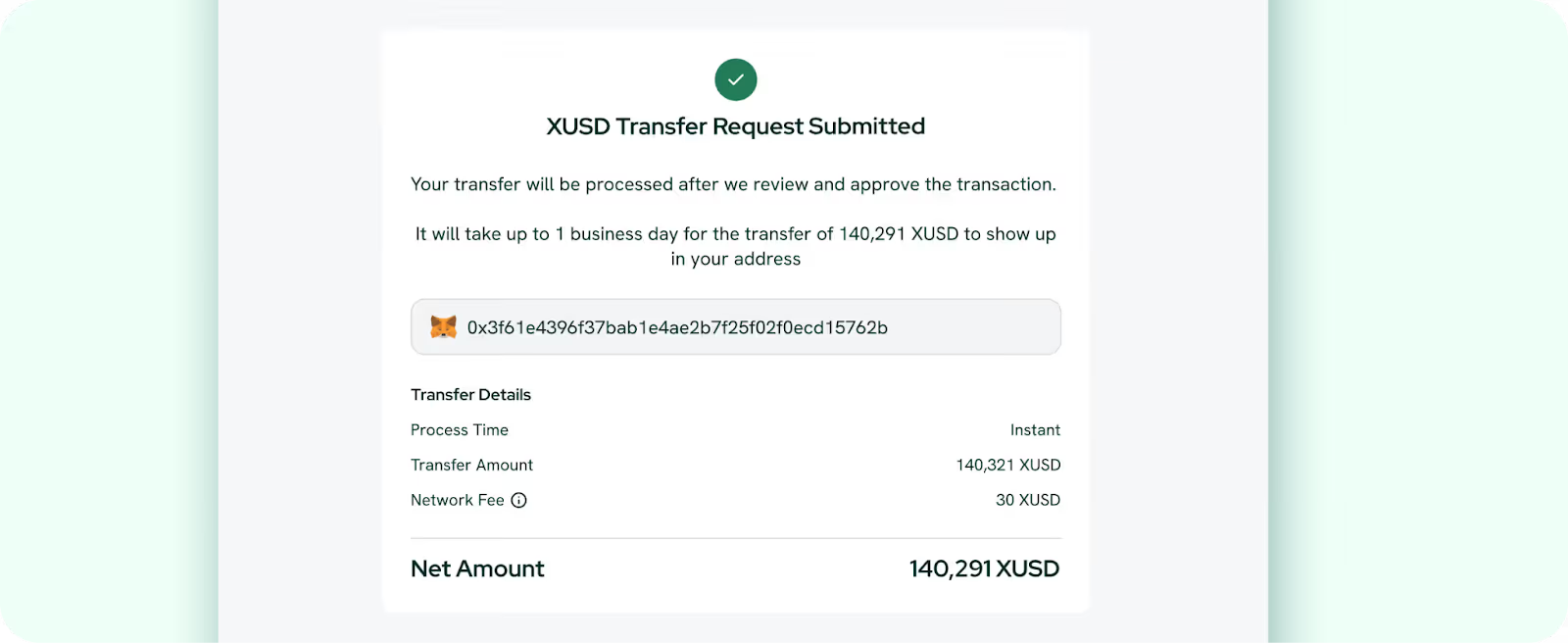
- You will receive an email once your funds are credited to your blockchain account (network transaction fees apply).
Note: Withdrawals to non-financial institutions such as Wise, GrabPay, Razer, LiquidPay, Matchmove, and Singtel Dash are currently not supported. Contact our support team if you need help verifying supported bank accounts.
Bonus: Swap XUSD to stablecoin of choice
After you have XUSD in your dashboard, you can swap it for other supported stablecoins such as XSGD, USDC or USDT. Here’s how you do it:
- Go to the Swap tab in your dashboard.
- Select XUSD as the currency to swap from.
- Select the stablecoin you want to receive, for example XSGD.
- Enter the amount of XUSD you want to swap, for example 10 XUSD.
- Review the details and confirm the swap.
Swap back or use stablecoins
You can also swap back to XUSD should you prefer to off-ramp in USD. For example, if you want to swap your XSGD back to XUSD:
- Go to Swap
- Select XSGD to swap from
- Select XUSD to receive
- Enter the amount of XSGD and confirm
Our USD Transfer Fees
An overview of platform fees for both Personal and Business accounts:
By enabling USD bank transfers through XUSD, we’re giving users faster access to global transfers and a seamless bridge into digital asset ecosystems. Learn more about XUSD here and login or sign up for an account today to start minting and redeeming XUSD!


.avif)
